


manish-custom-notifier is a Home Assistant custom integration that adds a notify service for sending WhatsApp notifications through the WhatsApp Cloud API. It is a thin wrapper around ma-nish, a Python client for the WhatsApp Cloud API, and needs only a few lines in configuration.yaml.
Every notification is sent as a WhatsApp template message: the text you pass as message is inserted into the body variable of a template you create in WhatsApp Manager.
Unofficial project. This integration is not affiliated with, endorsed by, or supported by Meta Platforms, Inc. or WhatsApp. "WhatsApp" and "Meta" are trademarks of their respective owners.
- Features
- How it works
- Limitations
- Requirements
- Getting started (Meta setup)
- Installation
- Configuration
- Usage
- Troubleshooting
- Security and privacy
- Known issues
- Contributing
- License
- Adds a legacy
notifyplatform namedmanish, which creates anotify.<name>action (service) in Home Assistant. - Sends WhatsApp template messages through the official WhatsApp Cloud API (via the
ma-nishlibrary). - Puts the notification text into the template's body variable (
{{1}}), so one template can carry any message. - Sends to one or more recipients: list several phone numbers in
target, separated by commas. - Configured in YAML; no extra services or containers to run.
- Available in the HACS default repository list.
flowchart LR
    A["Automation / script / action call"] -->|"notify.name + message"| B["manish notify platform"]
    B -->|"send_template: template, language, body parameter = message"| C["ma-nish library"]
    C -->|"HTTPS POST /messages"| D["WhatsApp Cloud API (graph.facebook.com)"]
    D --> E["Recipient phones listed in target"]
- When Home Assistant loads the platform, the integration creates one
MaNishclient with your access token and phone number ID. - When the
notify.<name>action is called, the integration loops over the configured recipients. - For each recipient, it builds a template
bodycomponent with a single text parameter containingmessage, and calls ma-nish'ssend_template()with your configuredtemplateandlanguage. - The API response is written to the Home Assistant log.
- Only template messages are sent. Plain free-form text messages, media, and documents are not supported by this integration.
- The template must have exactly one body variable (
{{1}}) and no header variables. The integration only fills in the body. - Recipients are fixed in
configuration.yaml. Thetarget,titleanddatafields of the action call are ignored (see Usage). - You can't send messages to a WhatsApp group.
- WhatsApp Cloud API messaging is billed by Meta. See Meta's WhatsApp Business Platform pricing page for the current free tier and rates.
- With Meta's test phone number, you can only message recipients you have added and verified in the app's recipient list.
- Home Assistant with support for YAML-configured (legacy)
notifyplatforms. No minimum Home Assistant version is declared inhacs.jsonormanifest.json. The usage examples below use theaction:call syntax (Home Assistant 2024.8+) and thetriggers:/trigger:automation syntax (2024.10+); see Usage for the older syntax. - HACS (recommended) or access to your Home Assistant
configdirectory. - A Meta developer account and a Meta Business app with the WhatsApp product enabled.
- From the WhatsApp product's Getting started (API setup) page:
- an access token (the temporary token expires after 24 hours; generate a permanent token, for example with a System User, for long-term use);
- the Phone number ID of the sending number.
- An approved message template with one body variable, and its language code.
- Outbound internet access from Home Assistant to
graph.facebook.com(and toanalytics.techblog.co.il, see Security and privacy). - The
ma-nishPython package. Home Assistant installs it automatically from therequirementsinmanifest.json(ma-nish>=0.5.0).
The ma-nish README has a detailed, step-by-step Meta setup guide with screenshots.
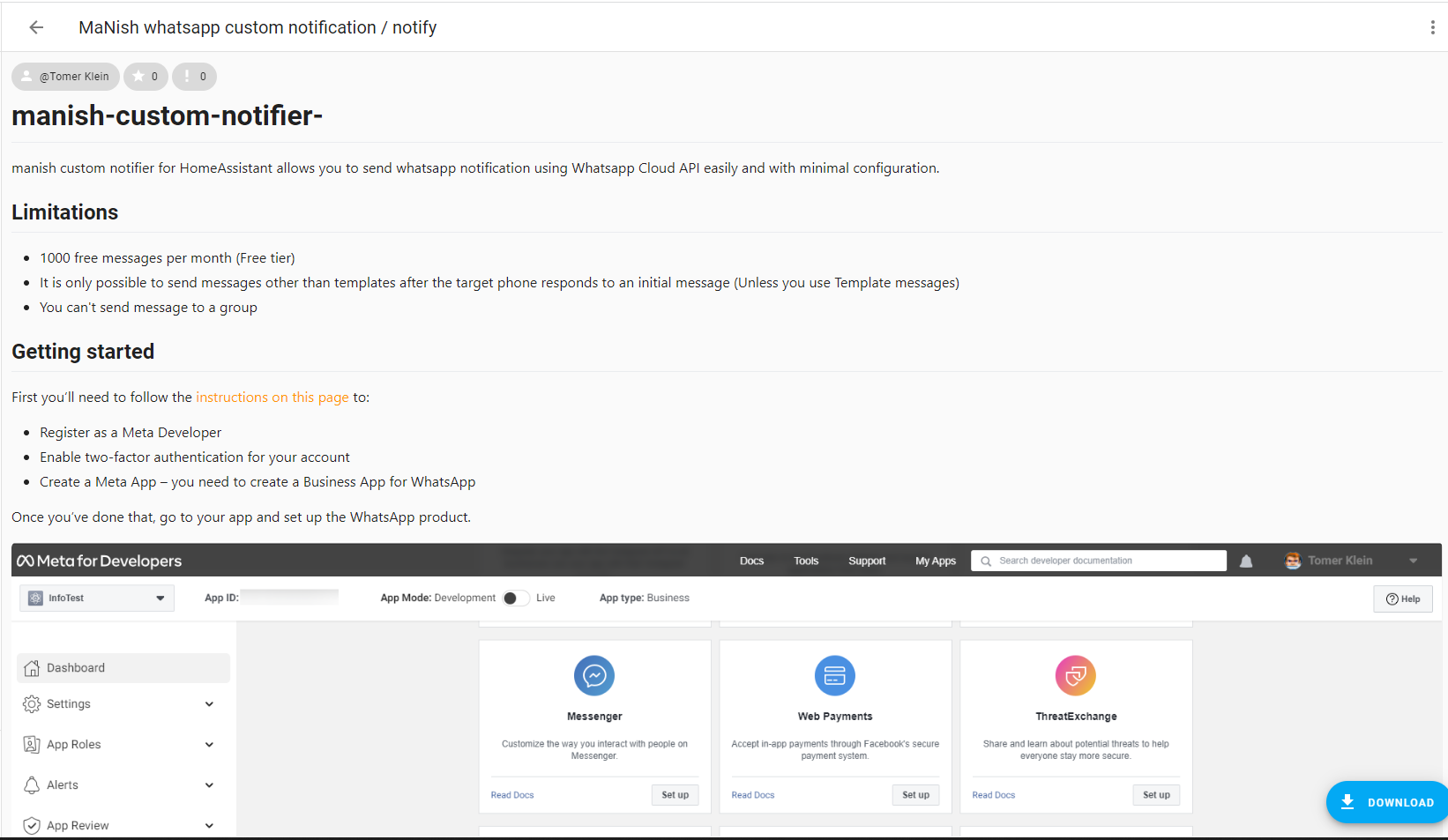
First, follow the instructions on this page to:
- Register as a Meta developer
- Enable two-factor authentication for your account
- Create a Meta app (you need a Business app for WhatsApp)
Once you've done that, go to your app and set up the WhatsApp product.
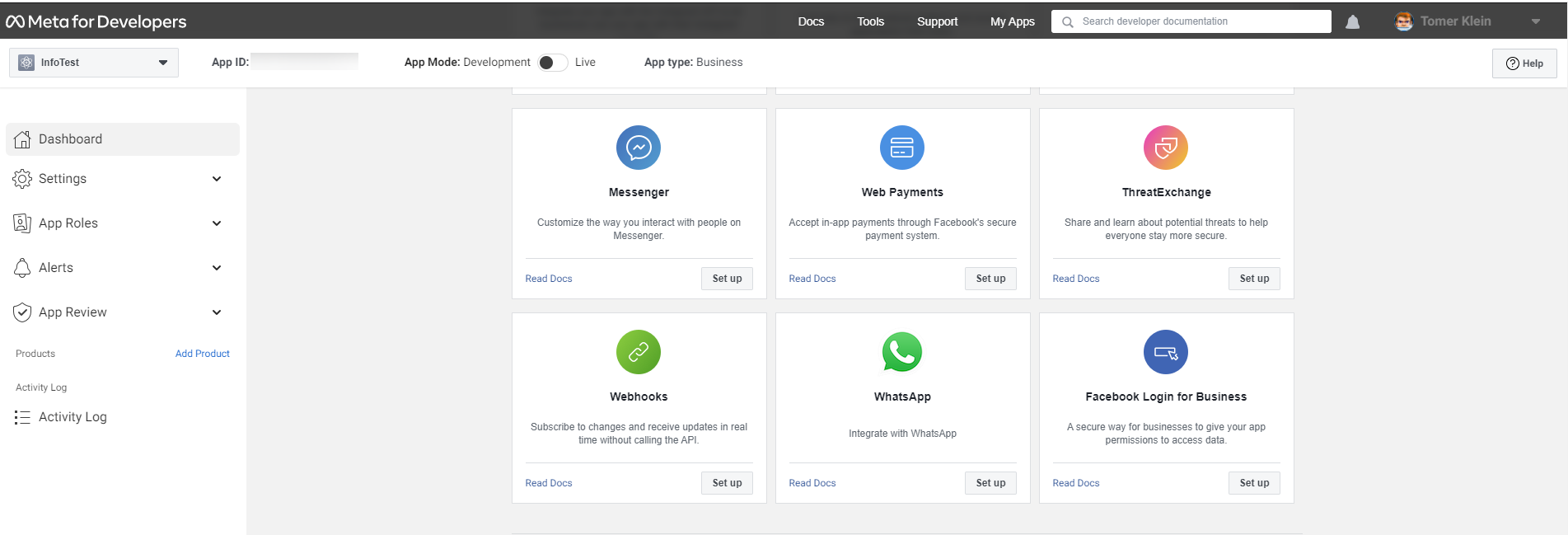
You'll be given a temporary access token and a Phone number ID. Note these down, as you'll need them later. Set up your own phone number as a recipient, and you can have a go at sending yourself a test message:
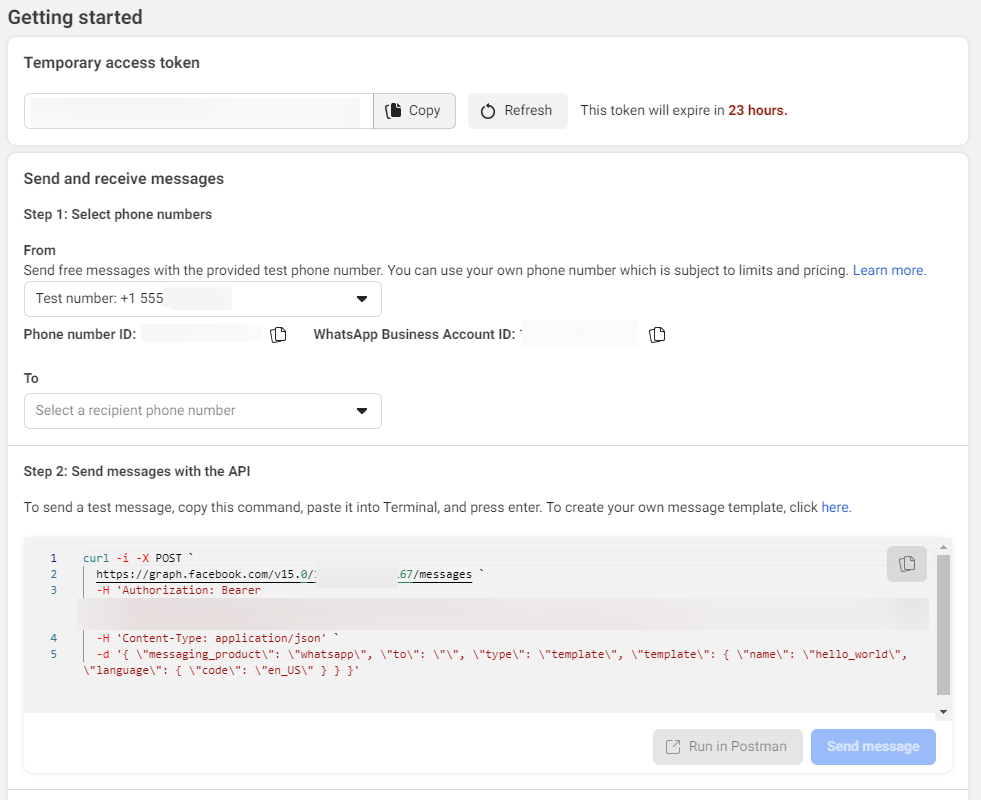
In the test message above, you used the hello_world template. You'll need to set up your own template for your own purposes. Go to Message Templates in WhatsApp Manager to build your own templates.
In the following example, I created a template for my smart home. The template has no header and a fixed footer. The body has one {{1}} variable for the dynamic text:
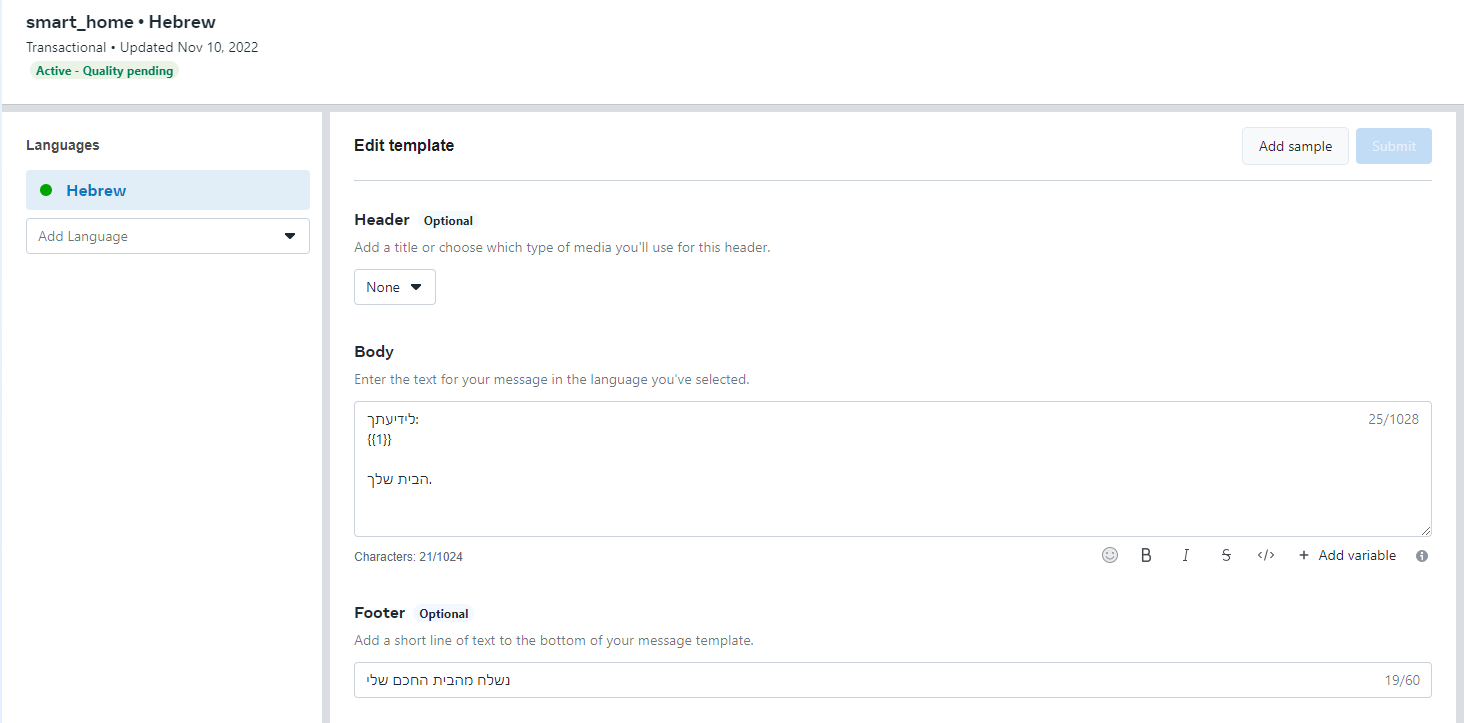
Note the template's name (for example smart_home) and its language code (for example he or en_US). You need both for the configuration. See Meta's template message guide for details.
Once you're done with the above, you're ready to start sending notifications using manish.
manish is part of the HACS default repository list, where it is listed as MaNish whatsapp custom notification / notify.
- In Home Assistant, open HACS.
- Search for MaNish whatsapp custom notification / notify and open it.
- Download it.
- Add the configuration to
configuration.yaml. - Restart Home Assistant.
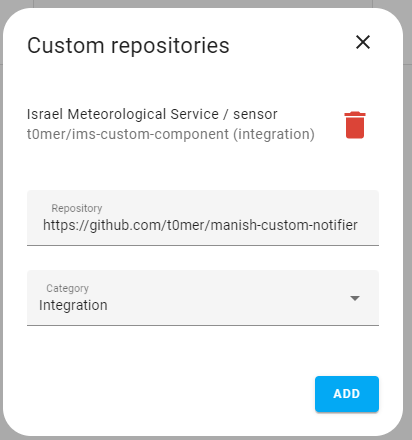
Before this repository was added to the HACS default list, you had to add it manually as a custom repository (https://github.com/t0mer/manish-custom-notifier, category Integration). This is no longer needed, but the screens are kept here for reference:
- Download the latest release (or clone this repository).
- Copy the
custom_components/manishfolder into your Home Assistantconfig/custom_components/directory, so you end up withconfig/custom_components/manish/manifest.json. - Add the configuration to
configuration.yaml. - Restart Home Assistant.
This integration is configured in YAML only; there is no UI setup. Add a notify entry to configuration.yaml:
notify:
  - platform: manish
    name: MaNish whatsapp notifire
    target: "972500000000"          # Recipient number(s), digits only, no "+"; comma-separated for several
    token: !secret whatsapp_token   # WhatsApp Cloud API access token
    phone_number_id: !secret whatsapp_phone_number_id
    template: smart_home            # Name of your approved message template
    language: he                    # Language code of that template
And in secrets.yaml:
whatsapp_token: "<your access token>"
whatsapp_phone_number_id: "<your phone number ID>"| Key | Required | Default | Description |
|---|---|---|---|
platform |
Yes | – | Must be manish. |
name |
No | notify |
Name of the notifier. Home Assistant slugifies it to build the action name, for example MaNish whatsapp notifire becomes notify.manish_whatsapp_notifire. If omitted, the action is notify.notify. |
target |
Yes | – | Recipient phone number(s) in international format, digits only, without + or spaces (for example 972500000000). For several recipients, separate them with commas and no spaces: "972500000000,972511111111". Quote the value so YAML treats it as a string. |
token |
Yes | – | WhatsApp Cloud API access token. Use !secret. |
phone_number_id |
Yes | – | Phone number ID of the sending WhatsApp number (from the app's API setup page). Not the phone number itself. |
template |
Yes | – | Name of the approved message template to send. |
language |
Yes | – | Language code of the template (for example en_US, he). It must match a language the template is approved in. |
title |
No | – | Accepted by the configuration schema but currently not used when sending. |
All values are validated as strings. You can add several - platform: manish entries with different name, template or target values to create several notifiers.
Restart Home Assistant, and you should see a new action (service):
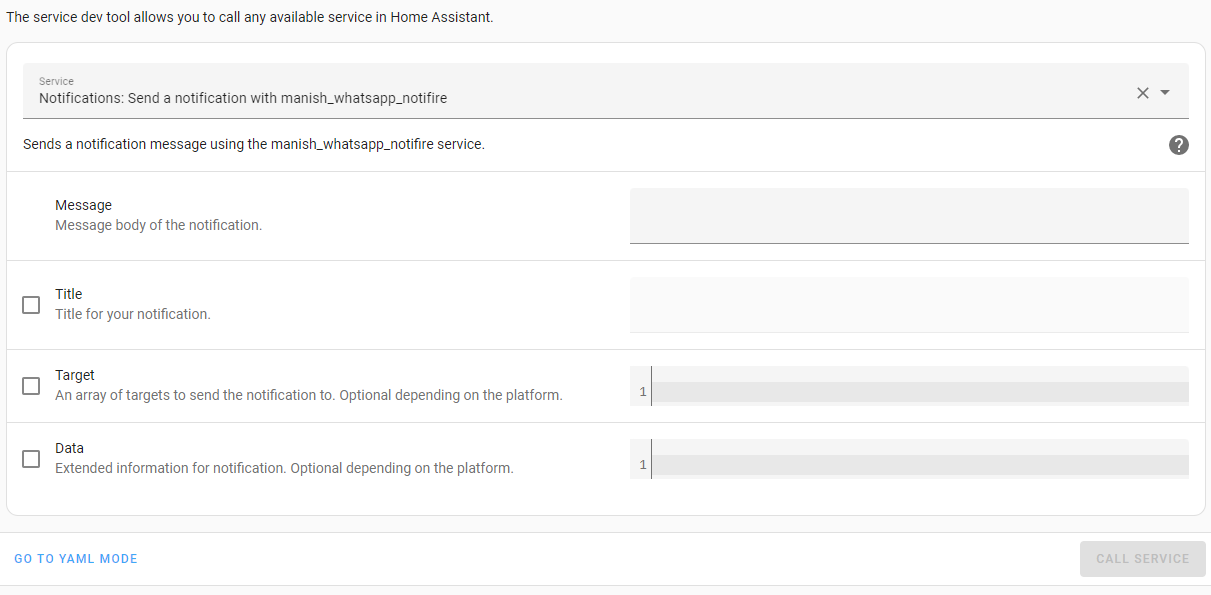
Call notify.<name> with a message. The message becomes the value of the template's body variable and is sent to every number in target.
| Action field | Used? | Notes |
|---|---|---|
message |
Yes | Text inserted into the template's body variable {{1}}. |
title |
No | Ignored. |
target |
No | Ignored. Recipients always come from target in configuration.yaml. |
data |
No | Ignored. Images, documents and other media are not supported. |
In Developer tools > Actions, choose notify.manish_whatsapp_notifire (or your own name), then:
action: notify.manish_whatsapp_notifire
data:
message: "Hello from Home Assistant"automation:
- alias: "WhatsApp alert when the front door opens"
triggers:
- trigger: state
entity_id: binary_sensor.front_door
to: "on"
actions:
- action: notify.manish_whatsapp_notifire
data:
message: "The front door was opened at {{ now().strftime('%H:%M') }}"script:
whatsapp_washer_done:
alias: "WhatsApp: washing machine finished"
sequence:
- action: notify.manish_whatsapp_notifire
data:
message: "The washing machine has finished."The action: call syntax needs Home Assistant 2024.8 or later, and the triggers:/trigger: automation syntax needs 2024.10 or later. On older versions, use trigger: with platform: state for triggers, and action: as the list key with service: for the calls (for example - service: notify.manish_whatsapp_notifire).
-
The action doesn't appear. Check that
custom_components/manish/exists, that thenotify:block is valid, and that you restarted Home Assistant. Look for configuration errors in Settings > System > Logs. All oftarget,token,phone_number_id,templateandlanguageare required. -
Check the API response. After every send, the integration logs the response from the WhatsApp Cloud API as a warning that starts with
Whatsapp:. A successful response contains amessagesentry; a failure contains anerrorobject from Meta (or{"error": ...}if the request itself failed). This warning appears even when sending succeeds. -
The message is rejected with a parameter error. The template must have exactly one body variable and no header variables, because the integration sends exactly one body parameter.
-
Template or language not found.
templatemust be the template's exact name, andlanguagemust be a language that template is approved in. -
It worked yesterday and stopped. The temporary access token from the Getting started page expires after 24 hours. Use a permanent token.
-
Only some recipients get the message. Make sure
targethas no spaces around the commas; spaces are not stripped. With the Meta test number, each recipient must be added and verified in your app. -
More logs. Log lines from the integration use the
custom_components.manish.notifylogger:logger: default: warning logs: custom_components.manish: info
The ma-nish library logs with
logururather than Home Assistant's logger. Loguru writes to the process's stderr, so these messages appear in the container or add-on logs (for exampledocker logs), not inhome-assistant.log. -
Home Assistant is slow to start or the notifier hangs at setup. Creating the ma-nish client makes an HTTP request without a timeout (see below). If your network silently drops traffic to
analytics.techblog.co.il, setup can hang; block it with a rejecting rule instead.
- Keep the access token in
secrets.yamland reference it with!secret. Don't commit it to a public repository or share it in screenshots or logs. Anyone with the token can send messages from your WhatsApp Business number. - Message content goes through Meta. Notification text and recipient numbers are sent to the WhatsApp Cloud API (
graph.facebook.com) and are processed under Meta's terms. Don't put sensitive information in notifications. - Logs contain message data. At
infolevel the integration logs each recipient and message text, and every API response (which includes recipient IDs) is logged as a warning. - Anonymous usage statistics. The ma-nish library sends an anonymous HTTP
GETrequest to a pixel onanalytics.techblog.co.ilevery time aMaNishobject is created. This integration creates one when eachmanishnotifier is set up (at Home Assistant startup), so each startup triggers one request per configured notifier. According to the ma-nish README, the request carries no message data, token or phone number, but the analytics server sees your IP address and user agent. There is no option to turn it off; if you need to, block the host at the DNS level or with a firewall rule that rejects the connection (a silently dropped connection makes the call hang, because it has no timeout).
- The
title,targetanddatafields of the action call are ignored; onlymessageis used. titleis accepted inconfiguration.yamlbut not used.- The requirement
ma-nish>=0.5.0has no upper bound, so Home Assistant installs the latest ma-nish release (1.3.2 at the time of writing), which also pulls in dependencies such as FastAPI, Uvicorn, Pillow and geopy. - ma-nish calls a fixed Graph API version (
v15.0). - ma-nish's send request (HTTP
POST) has no timeout, so a stalled connection to the WhatsApp Cloud API can block the notification call. - The error handler in
notify.pyrefers toself._target, but onlyself._targetsexists (notify.py:59). If an exception occurs inside the send loop, the handler itself raisesAttributeError, the original error isn't logged, and the remaining recipients are skipped. - This is a legacy YAML
notifyplatform; it doesn't createnotifyentities and has no UI configuration.
Issues and pull requests are welcome at github.com/t0mer/manish-custom-notifier.
- The integration lives in
custom_components/manish/(manifest.json,notify.py,services.yaml). - The GitHub Actions workflows run HACS validation and hassfest on every push and pull request, and daily.
- For changes to the WhatsApp API client itself, see ma-nish.
This project is licensed under the MIT License. Copyright (c) 2023 Tomer Klein.