Fake GPS using ESP-IDF.

Windows application for NMEA Generator Utility is published here.
This tool generates NMEA sentences for GPS receivers and outputs them to serial or TCP ports.
This works great.
When using TCP, this app acts as a TCP server.
With this tool, you can go wherever you want in no time.
Use ESP32S2/S3 to transfer NMEA sentence received by TCP to USB.
+----------------+     +------------+                        +---------------+
|    REAL GPS    |     |  UART-USB  |                        | Windows/Linux |
|                |UART |  Converter |USB                     |               |
|                |---->|RX          |----------------------->|               |
|                |     |            |                        |               |
+----------------+     +------------+                        +---------------+

+----------------+     +------------+                        +---------------+
| NMEA Generator |     | ESP32S2/S3 |                        | Windows/Linux |
| as FAKE GPS    |TCP  |            |USB                     |               |
|                |====>|            |----------------------->|               |
|                |     |            |                        |               |
+----------------+     +------------+                        +---------------+
In addition, it can provide NMEA sentences to two PCs.
+----------------+     +------------+                        +---------------+
| NMEA Generator |     | ESP32S2/S3 |                        | Windows/Linux |
| as FAKE GPS    |TCP  |            |USB                     |               |
|                |====>|            |----------------------->|               |
|                |     |            |                        |               |
+----------------+     |            |                        +---------------+
                       |            |
                       |            |     +------------+     +---------------+
                       |            |     |  UART-USB  |     | Windows/Linux |
                       |            |UART |  Converter |USB  |               |
                       |          TX|---->|RX          |---->|               |
                       |            |     |            |     |               |
                       +------------+     +------------+     +---------------+
ESPs that don't support USB use UART.
+----------------+     +------------+                        +---------------+
|    REAL GPS    |     |  UART-USB  |                        | Windows/Linux |
|                |UART |  Converter |USB                     |               |
|                |---->|RX          |----------------------->|               |
|                |     |            |                        |               |
+----------------+     +------------+                        +---------------+

+----------------+     +------------+     +------------+     +---------------+
| NMEA Generator |     |   ESP32    |     |  UART-USB  |     | Windows/Linux |
| as FAKE GPS    |TCP  |            |UART |  Converter |USB  |               |
|                |====>|          TX|---->|RX          |---->|               |
|                |     |            |     |            |     |               |
+----------------+     +------------+     +------------+     +---------------+
ESP-IDF V5.0 or later.
ESP-IDF V4.4 release branch reached EOL in July 2024.
1.Windows PC
Windows applications can be downloaded from here.
Just extract the ZIP file and run it.
This applications was made by Japan, but NMEAGEN217.zip contains English documents, so there is no problem.
Any questions about the NMEA Generator Utility should be directed to the author, not me.
2.USB Connector is required when using USB.
I used this USB Mini femail:

ESP32-S2/S3 BOARD          USB CONNECTOR
                           +--+
                           | || VCC
    [GPIO 19]    --------> | || D-
    [GPIO 20]    --------> | || D+
    [  GND  ]    --------> | || GND
                           +--+
git clone https://github.com/nopnop2002/esp-idf-fake-gps
cd esp-idf-fake-gps
idf.py set-target {esp32/esp32s2/esp32s3/esp32c2/esp32c3}
idf.py menuconfig
idf.py flashYou need to know the IP address of your Windows machine beforehand.
Windows 10 is set not to respond to ping by default.
You cannot use the ping command to find out.
Use the ipconfig command from the command prompt.
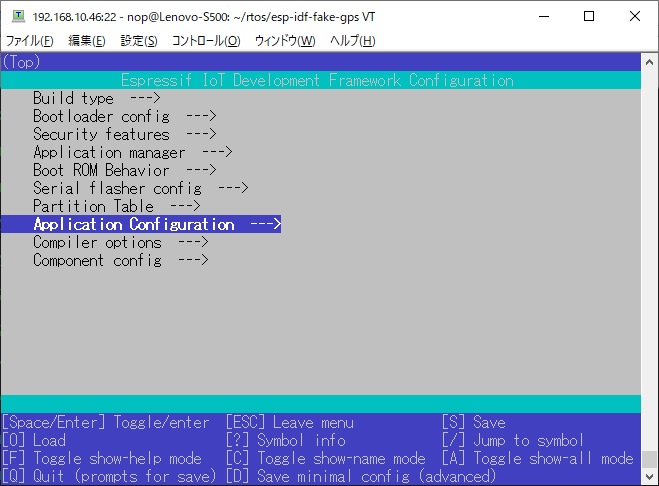
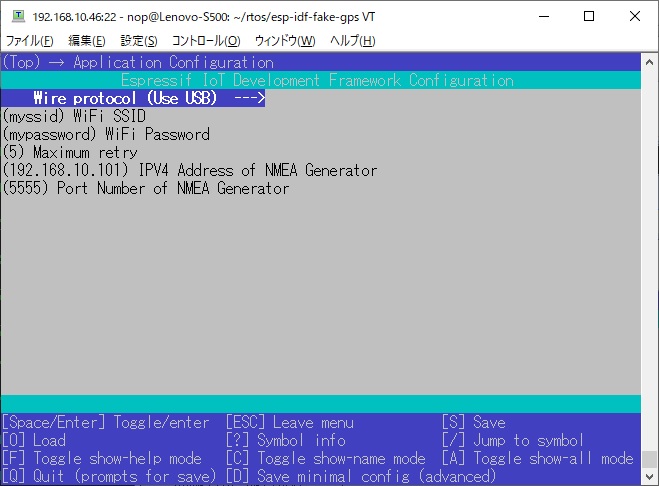
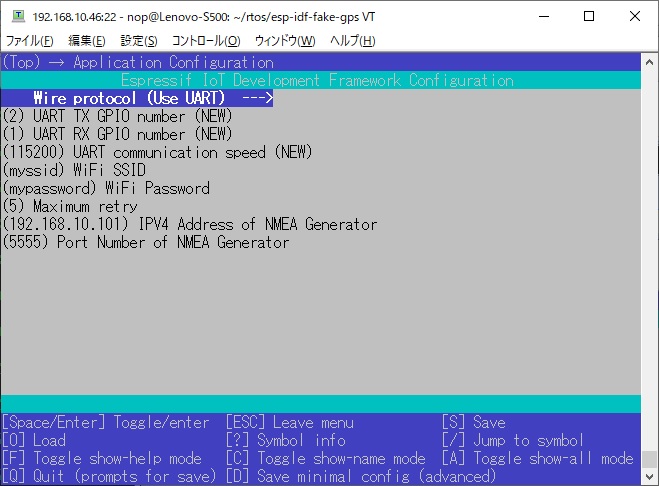
-
Connect ESP32 to WindowsPC using USB or UART.
-
Build this firmware and start ESP32.
-
Open NMEA Generator Utility.
-
Select TCP for the output port.

-
Check Rep.
This will repeat the NMEA transmission forever.

-
Open port.
NMEA Generator acts as a TCP server.

-
NMEA transmission start.
NMEA Generator shows your current location.


-
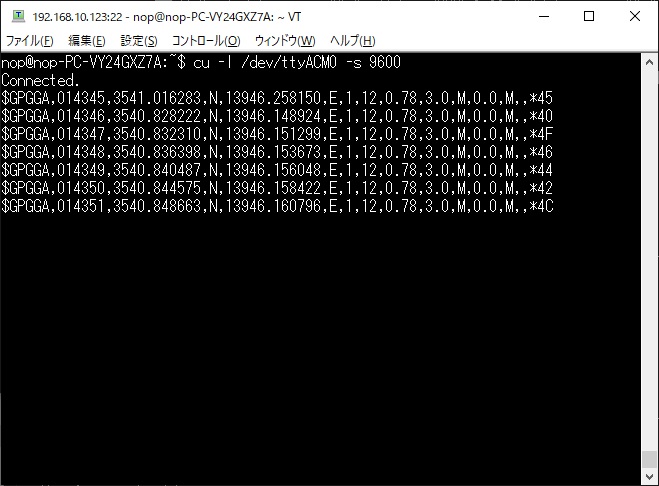
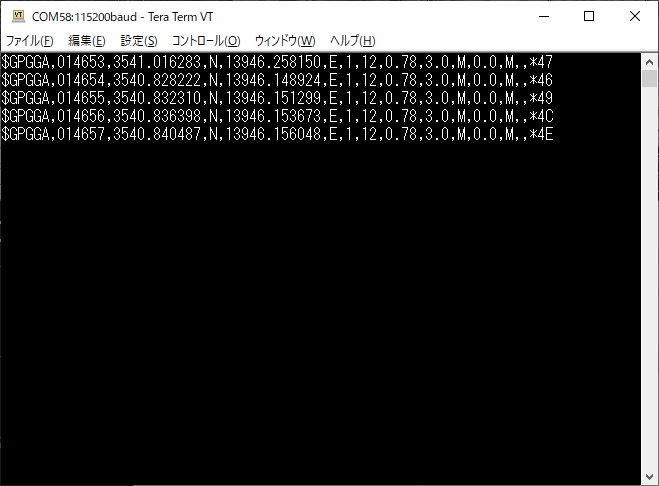
Open serial terminal on your host.
This will add GPS to your host.
$ sudo adduser $USER dialout

$ sudo apt-get install gpsd gpsd-clients

$ sudo vi /etc/default/gpsd
START_DAEMON="true"
USBAUTO="true"
DEVICES="/dev/ttyUSB0"
GPSD_OPTIONS="-n"


$ sudo service gpsd stop
$ sudo service gpsd start
$ sudo systemctl -l --no-pager status gpsd
�œ gpsd.service - GPS (Global Positioning System) Daemon
   Loaded: loaded (/lib/systemd/system/gpsd.service; indirect; vendor preset: enabled)
   Active: active (running) since Tue 2023-03-07 16:18:40 JST; 2s ago
  Process: 5234 ExecStart=/usr/sbin/gpsd $GPSD_OPTIONS $DEVICES (code=exited, status=0/SUCCESS)
 Main PID: 5235 (gpsd)
    Tasks: 1 (limit: 4411)
   CGroup: /system.slice/gpsd.service
           mq5235 /usr/sbin/gpsd -n /dev/ttyACM0
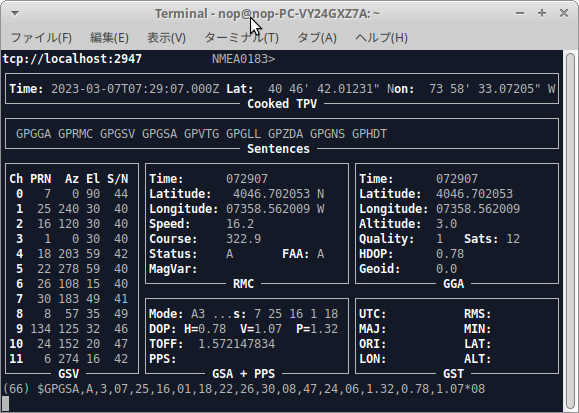
$ gpsmon
Enter q to quit.
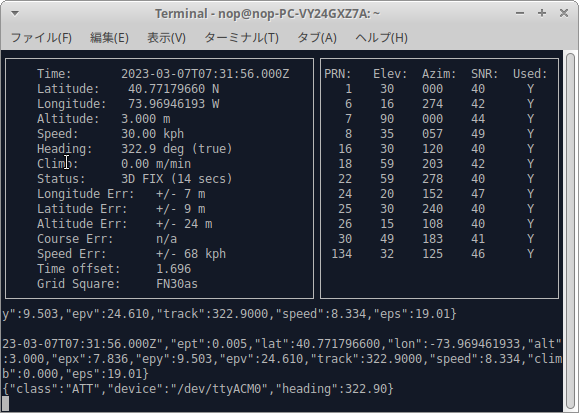
$ cgps
Enter q to quit.
$ sudo apt install foxtrotgps

$ sudo vi /etc/default/gpsd
#GPSD_OPTIONS="-n"
GPSD_OPTIONS="-n -G"

$ sudo service gpsd stop
$ sudo service gpsd start
$ sudo systemctl -l --no-pager status gpsd
�œ gpsd.service - GPS (Global Positioning System) Daemon
   Loaded: loaded (/lib/systemd/system/gpsd.service; indirect; vendor preset: enabled)
   Active: active (running) since Tue 2023-03-07 16:18:40 JST; 2s ago
  Process: 5234 ExecStart=/usr/sbin/gpsd $GPSD_OPTIONS $DEVICES (code=exited, status=0/SUCCESS)
 Main PID: 5235 (gpsd)
    Tasks: 1 (limit: 4411)
   CGroup: /system.slice/gpsd.service
           mq5235 /usr/sbin/gpsd -n /dev/ttyACM0

$ foxtrotgps
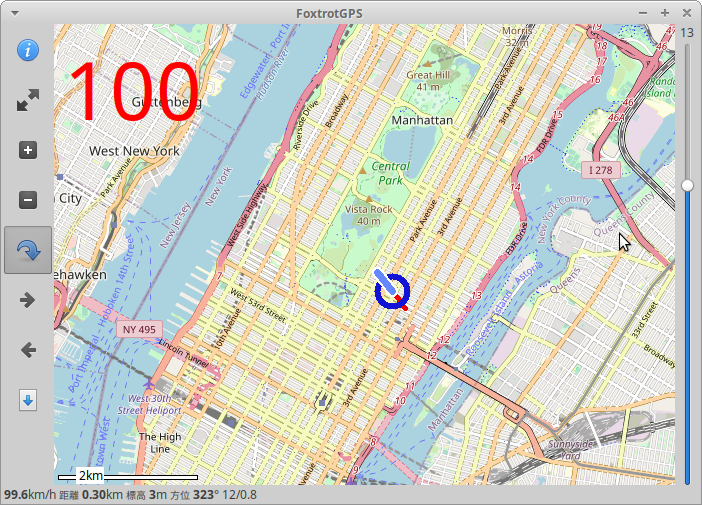
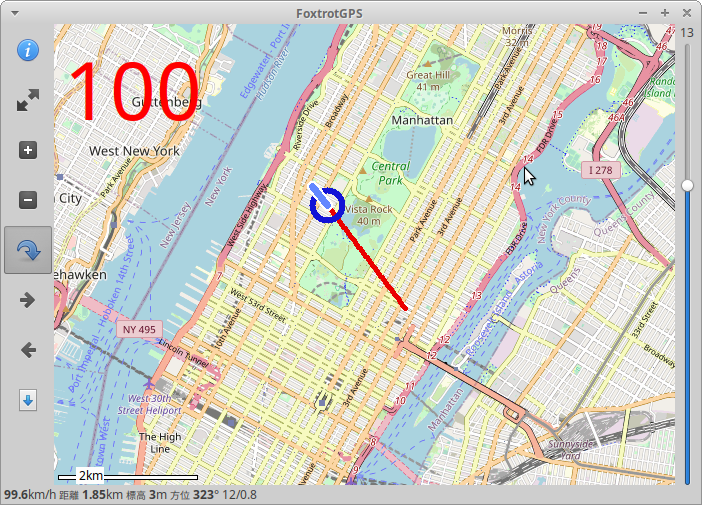
It flew over Manhattan's Central Park at 100km/h.
$ sudo vi /lib/systemd/system/gpsd.socket
#ListenStream=127.0.0.1:2947
ListenStream=0.0.0.0:2947

$ sudo service gpsd stop
$ sudo service gpsd start
$ sudo systemctl -l --no-pager status gpsd
�œ gpsd.service - GPS (Global Positioning System) Daemon
   Loaded: loaded (/lib/systemd/system/gpsd.service; indirect; vendor preset: enabled)
   Active: active (running) since Tue 2023-03-07 16:18:40 JST; 2s ago
  Process: 5234 ExecStart=/usr/sbin/gpsd $GPSD_OPTIONS $DEVICES (code=exited, status=0/SUCCESS)
 Main PID: 5235 (gpsd)
    Tasks: 1 (limit: 4411)
   CGroup: /system.slice/gpsd.service
           mq5235 /usr/sbin/gpsd -n /dev/ttyACM0

# From remote
$ foxtrotgps <IP address of the server where gpsd is running>:2947
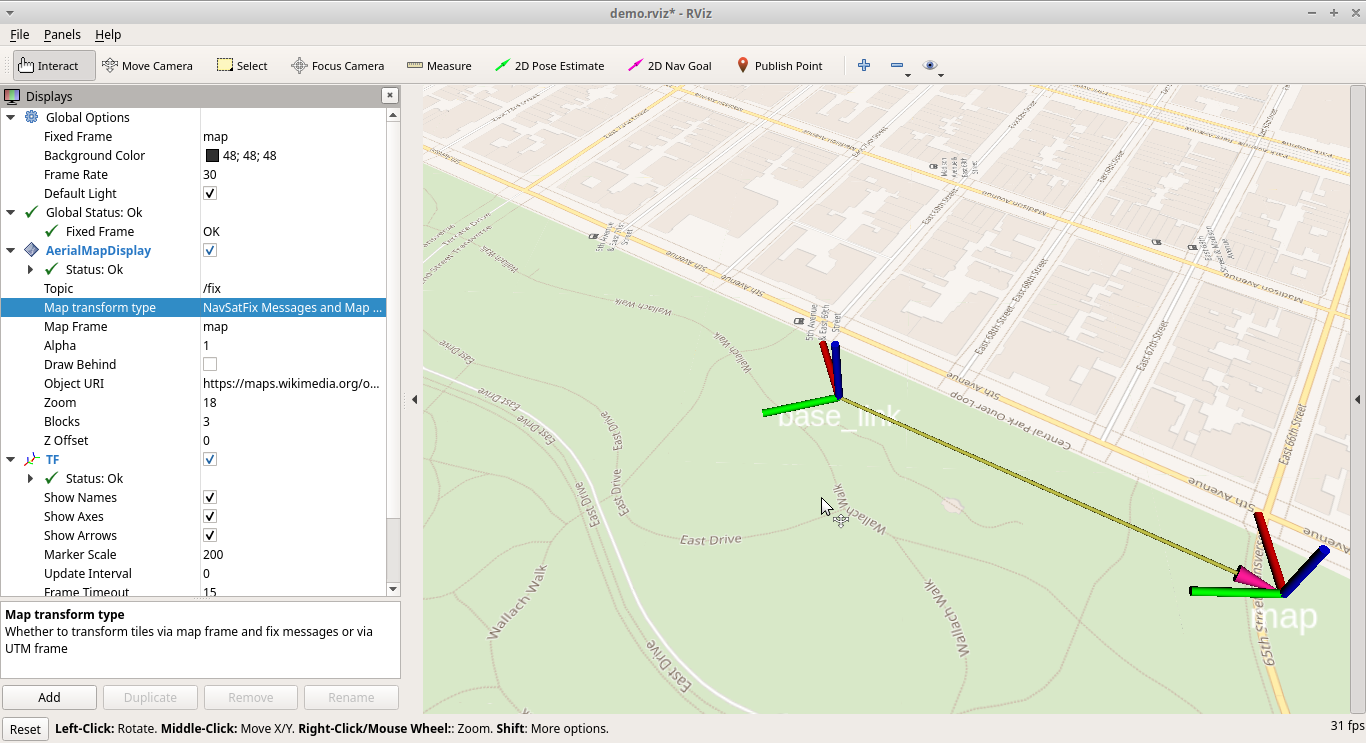
You can use nmea_serial_driver and rviz_satellite.
The nmea serial driver APT package has a bug and does not work properly.
Must be installed from source.
I live in Nagoya, Japan, but my ROS robot is currently moving through Manhattan's Central Park.