
A blockchain-based inheritance management framework that leverages Permit2, CREATE2, Zero-Knowledge Proofs (ZKP), and IPFS to securely handle the creation, notarization, and execution of on-chain wills.
Watch the system demonstration to see how zkWill works:
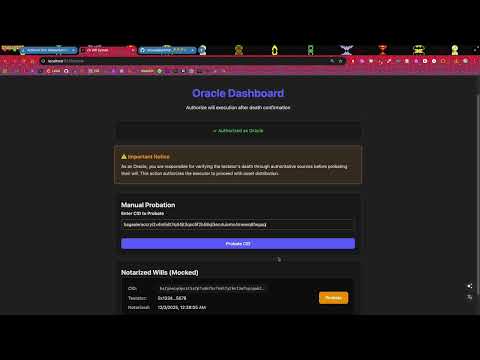
🎬 Click here to watch on YouTube
The system follows a multi-role collaboration model involving four key participants: Testator, Executor, Notary, and Oracle. Each role operates within a distinct stage of the process—creation, notarization, activation, and execution—ensuring that every step of the digital will lifecycle is verifiable, secure, and privacy-preserving.
By combining decentralized storage (IPFS), verifiable computation (ZKPs), programmable inheritance logic (smart contracts with CREATE2), and trustless authorization (Permit2), the system provides a transparent yet confidential method to manage digital wills and asset transfers on the blockchain.
The Testator begins by approving the maximum token allowance to the Permit2 contract, preparing for future authorized asset transfers. Through the system interface, the Testator inputs the will content, after which the system performs the following steps:
- Generates a Permit2 signature to authorize future token transfers
- Serializes and encrypts the will, producing an Encrypted Will
- Locally generates a CID Upload Zero-Knowledge Proof (ZKP) to prove the validity and structure of the uploaded content without revealing the plaintext
- Uploads the encrypted will to IPFS, obtains the corresponding Content Identifier (CID), and submits both the CID and ZKP to the
uploadCidfunction ofWillFactory.sol
Once the will is uploaded, the Notary calls the notarizeCid function in WillFactory.sol to notarize the corresponding CID. This ensures that the encrypted will has been verified and witnessed by a trusted party, establishing legal validity and preventing unauthorized uploads.
Before the Testator's death, the encrypted will remains inaccessible and cannot be instantiated or executed. When the Oracle receives verifiable death confirmation data from an authoritative source (such as a government registry or medical attestation), it calls WillFactory.sol (e.g., authorizeExecution) to confirm that the Testator has passed away. This authorization enables the Executor to proceed with will creation and execution, ensuring that the process only begins under legitimate conditions.
After receiving authorization from the Oracle, the Executor retrieves the Encrypted Will from IPFS using the stored CID. With access to the decryption key (provided by the Testator; key transmission and custody details are outside the system's scope), the Executor decrypts and deserializes the will. The Executor then:
- Generates a Will Creation ZKP, proving that the decrypted content matches the previously uploaded version and adheres to the required format
- Calls the
createWillfunction inWillFactory.solto deploy a verifiedWill.solcontract instance on-chain - Executes the
signatureTransferToBeneficiariesfunction inWill.sol, which internally calls the Permit2 contract to automatically and securely transfer the Testator's assets to the designated beneficiaries according to the signed authorization
will-project/
├── apps/
│   ├── frontend/          # React + Vite frontend application
│   └── backend/           # Node.js + Express backend API
├── contracts/             # Foundry smart contracts
├── zkp/                   # Circom zero-knowledge proofs
├── shared/                # Shared code (types, utilities, constants)
└── package.json           # Root dependency management
Ensure you have the following tools installed:
- Node.js (v18+)
- pnpm (recommended package manager)
- Foundry (Solidity development toolkit)
- Circom (Zero-knowledge circuit compiler)
# Install pnpm
npm install -g pnpm

# Install Foundry
curl -L https://foundry.paradigm.xyz | bash
foundryup

# Install Circom (requires Rust)
curl --proto '=https' --tlsv1.2 https://sh.rustup.rs -sSf | sh
git clone https://github.com/iden3/circom.git
cd circom
cargo build --release
cargo install --path circom
cd ..- Clone the repository
git clone https://github.com/june-in-exile/zkWill.git
cd zkWill- Configure environment variables
Copy the .env.example file as .env:
cp .env.example .envUpdate the following environment variables in .env:
# Network configuration
USE_ANVIL=false                                    # Set to false for Arbitrum Sepolia testnet
ARB_SEPOLIA_RPC_URL=https://arb-sepolia.g.alchemy.com/v2/YOUR_ALCHEMY_API_KEY

# Deployer configuration (for contract deployment)
DEPLOYER_PRIVATE_KEY=YOUR_DEPLOYER_PRIVATE_KEY    # Private key with ETH on Arbitrum Sepolia
ETHERSCAN_API_KEY=YOUR_ETHERSCAN_API_KEY           # For contract verification

# Role addresses
TESTATOR=0x_YOUR_TESTATOR_ADDRESS
WITNESS1=0x_YOUR_WITNESS1_ADDRESS
WITNESS2=0x_YOUR_WITNESS2_ADDRESS
NOTARY=0x_YOUR_NOTARY_ADDRESS
ORACLE=0x_YOUR_ORACLE_ADDRESS
EXECUTOR=0x_YOUR_EXECUTOR_ADDRESSImportant: Ensure your deployer address has sufficient ETH on Arbitrum Sepolia for contract deployment gas fees.
- Install dependencies
pnpm install- Compile ZKP circuits
Navigate to the ZKP directory and compile the required circuits:
cd zkp
make circuit-no-proof CIRCUIT=cidUpload TEMPLATE=UploadCid
make circuit-no-proof CIRCUIT=willCreation TEMPLATE=CreateWill
cd ..Note: This step compiles the ZKP circuits without generating proof files, which is sufficient for development.
Trusted Setup: The ZKP circuits use a trusted setup ceremony for secure proof generation:
- Phase 1: Uses the PSE perpetualpowersoftau Powers of Tau (PTAU) file with degree 23: ppot_0080_23.ptau
- Phase 2: The circuit-specific zkey files are not publicly available as the project is currently in active development
- Deploy smart contracts to Arbitrum Sepolia
Navigate to the contracts directory and deploy:
cd contracts
make install build deploy
cd ..
This will:
- Install Foundry dependencies
- Build and compile smart contracts
- Generate TypeScript contract types
- Deploy contracts to Arbitrum Sepolia testnet
- Verify contracts on Arbiscan
Verify deployment: After successful deployment, the contract addresses will be automatically updated in your .env file.
- Start development environment
# Start both frontend and backend
pnpm dev

# Or start separately
pnpm dev:frontend  # http://localhost:5173
pnpm dev:backend # http://localhost:3001# Development mode
pnpm dev # Start both frontend and backend
pnpm dev:frontend # Start frontend only (Vite)
pnpm dev:backend # Start backend only (Node.js)
# Build
pnpm build # Build all modules
pnpm build:frontend # Build frontend
pnpm build:backend # Build backend
pnpm build:contracts # Compile smart contracts
# Code quality
pnpm type-check # TypeScript type checking
pnpm lint # ESLint code checking
pnpm lint --fix # Auto-fix ESLint issues
pnpm format # Prettier formatting
# Cleanup
pnpm clean # Clean all build artifacts# Check outdated dependencies
pnpm deps:check
# Update all dependencies to latest versions
pnpm deps:update
# Security audit
pnpm deps:audit
# Clean and reinstall dependencies
pnpm deps:clean- React - UI framework
- Vite - Fast build tool
- TypeScript - Type-safe language
- ethers.js - Ethereum interaction library
- Helia - IPFS protocol implementation
- React Router - Client-side routing
- Foundry - Solidity development framework
- Solidity - Smart contract language
- OpenZeppelin - Standard contract library
- Permit2 - Off-chain authorization protocol
- Circom - ZKP circuit language
- snarkjs - Proof generation and verification
- circom_tester - Circuit testing tool
- Keccak256 - Hash function implementation
- Express - Node.js web framework
- cors - Cross-origin request handling
- dotenv - Environment variable management
- AES-256-GCM - Symmetric encryption algorithm
- ECDSA - Elliptic curve signatures
- CREATE2 - Deterministic contract deployment
- pnpm - Efficient package manager
- TypeChain - Contract type generation
- ESLint - Code linting
- Vitest - Testing framework
- Anvil - Local blockchain
- Arbitrum Sepolia - Testnet environment
- TypeScript module resolution errors
# Clean and reinstall
pnpm clean
pnpm install- ESLint parsing errors
# Check ESLint configuration
pnpm lint --debug- Smart contract compilation failures
# Clean Foundry cache
cd contracts && forge clean && forge build- Deprecated dependency warnings
# Check and update dependencies
pnpm deps:check
pnpm deps:update- Environment switching issues
When switching between different environments (e.g., local Anvil network and Arbitrum Sepolia), remember to:
- Update
USE_ANVILin your.envfile to match the target environment (set totruefor local network,falsefor testnet/mainnet) - If the
cidUploadZKP verification fails after switching environments, check that thechainIdconstant inzkp/circuits/shared/components/permitVerify/permitVerify.circomis set correctly for your target network:- Anvil local network:
31337 - Arbitrum Sepolia:
421614
- Anvil local network:
After modifying the chainId, rebuild the ZKP circuits:
cd zkp && make clean && make# Complete reset
pnpm clean
pnpm deps:clean
cd contracts && forge clean
cd zkp && make clean
cd apps/backend && make clean
pnpm install
pnpm build