




WebGL burn and assemble effects for real DOM elements.
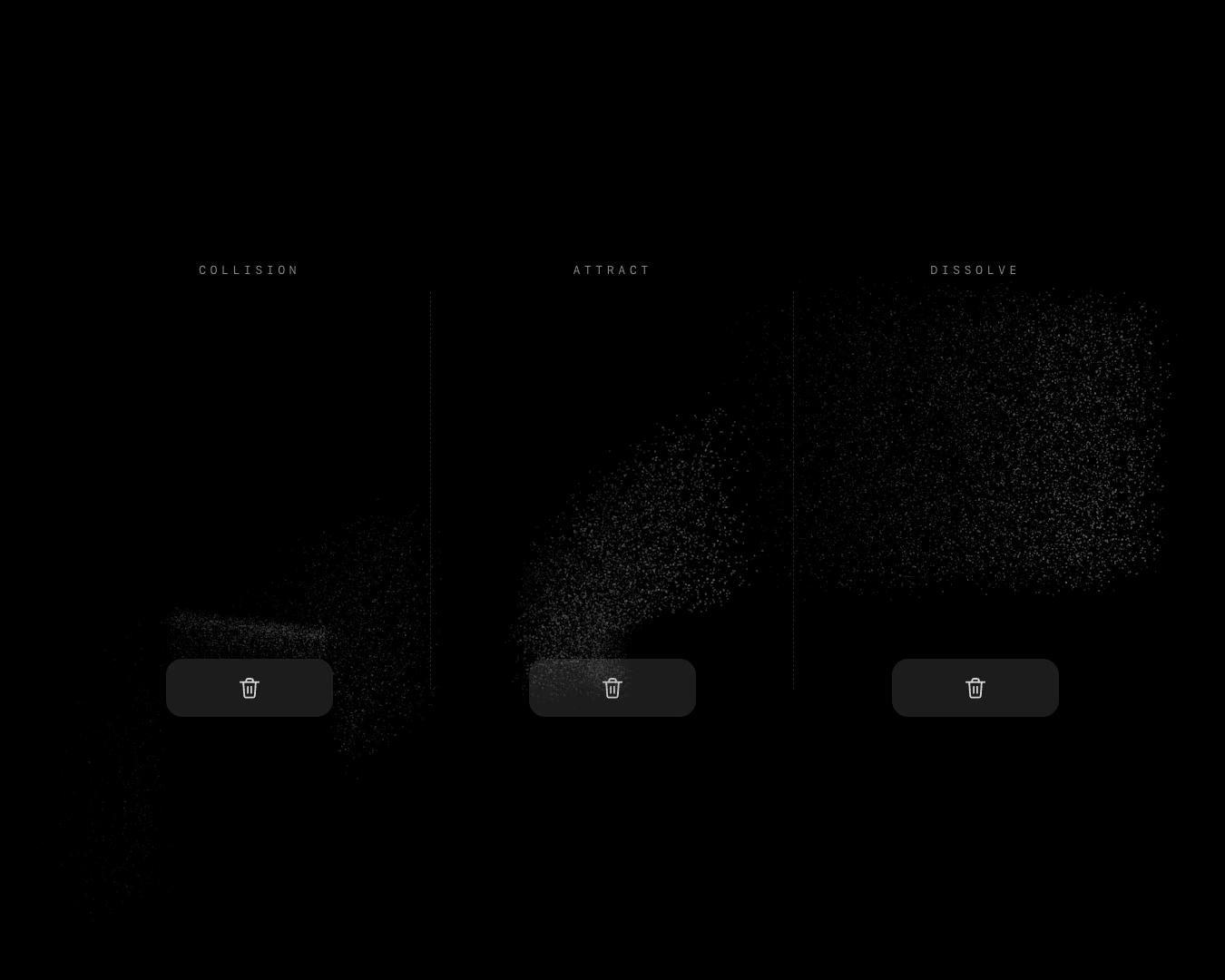
- Burn — the element turns to carbon and falls away as dust. The dust can bounce off page elements, be pulled into a target, or drift away.
- Assemble — burn played backwards. Dust gathers and the element becomes visible.
Every effect captures the real element as a texture, draws it on a full-screen WebGL2 overlay, and animates it with a GPU shader. Text, borders, gradients, and images stay exactly as they render on the page.
Live demo · Dark video · Light video
Point a coding agent at llms.txt. The same file ships with the package at node_modules/thanosfx/llms.txt.
Repository contributors can start with AGENTS.md.
npm install thanosfxReact is optional and only needed for the thanosfx/react entry point:
npm install reactimport { burn } from "thanosfx";
const card = document.querySelector<HTMLElement>(".card");
if (!card) throw new Error("Missing .card");
const handle = burn(card, {
duration: 1700,
density: 0.9,
gravity: 3200,
spread: 210,
});
handle.promise.then(() => {
console.log("gone");
});burn and assemble share the same one-shot API.
import { assemble } from "thanosfx";

const fresh = document.querySelector<HTMLElement>(".new-card");
if (!fresh) throw new Error("Missing .new-card");

assemble(fresh, {
  duration: 1800,
  removeTarget: false,
}).promise.then(() => {
  console.log("restored");
});Burn has three useful configurations:
| Mode | Options | Behavior |
|---|---|---|
| Collision | collision: true, collideWith: elements |
Dust bounces off the listed elements. |
| Attract | attractTo, attractStrength, attractSwirl |
Dust spirals into an element, rect, or point. |
| Dissolve | collision: false, no attractTo |
Dust falls and drifts with no target. |
const cards = [...document.querySelectorAll<HTMLElement>(".task")];
const card = cards[0];
if (!card) throw new Error("Missing .task");

await burn(card, {
  collision: true,
  collideWith: cards.filter((element) => element !== card),
}).promise;const bin = document.querySelector<HTMLElement>(".recycle-bin")!;
await burn(card, {
attractTo: bin,
attractStrength: 0.9,
attractSwirl: 0.3,
collision: false,
}).promise;attractTo accepts an element, a DOMRect, a rect object, a [x, y, width, height] tuple, or an { x, y } point. When the dust reaches the target, it spreads across a small arrival radius instead of collapsing into a single pixel.
await burn(card, {
  collision: false,
  gravity: 450,
  spread: 240,
  lift: 210,
}).promise;const addButton = document.querySelector<HTMLElement>(".add-task")!;
const list = document.querySelector<HTMLElement>(".task-list")!;
const fresh = document.createElement("div");
fresh.className = "task";
list.prepend(fresh);
await assemble(fresh, {
attractTo: addButton,
attractStrength: 0.9,
attractSwirl: 0.3,
collision: false,
removeTarget: false,
}).promise;import { assemble, burn, createEffect, effectNames, playEffect } from "thanosfx";
import type { AttractorLike, EffectHandle, EffectName, EffectOptions, RectLike } from "thanosfx";burn(target, options)starts a burn effect.assemble(target, options)starts the reverse effect.playEffect(target, effect, options)starts an effect by name.createEffect(target, effect, options)is the generic form ofplayEffect.effectNamesis["burn", "assemble"].- Every call returns an
EffectHandlewithpromiseandcancel().
interface EffectOptions {
  duration?: number; // ms
  removeTarget?: boolean; // defaults depend on effect
  reducedMotion?: "auto" | "allow" | "reduce";
  dpr?: number;

  // Burn / assemble
  burnMs?: number;
  density?: number;
  gravity?: number;
  bounce?: number;
  spread?: number;
  life?: number;
  friction?: number;
  lift?: number;
  particleScale?: number;
  embers?: boolean;
  collision?: boolean;
  mode?: "sweep" | "instant";
  collideWith?: RectLike[];
  attractTo?: AttractorLike | null;
  attractStrength?: number; // 0–1, higher pulls earlier in each particle's life
  attractSwirl?: number; // sideways curl along the path to the target
}import { useRef } from "react";
import { useThanosFx } from "thanosfx/react";
import type { EffectName } from "thanosfx";
export function DeleteCard({ effect }: { effect: EffectName }) {
const ref = useRef<HTMLDivElement>(null);
const { play, cancel } = useThanosFx(ref, effect, { duration: 1700 });
return (
<div ref={ref}>
<button onClick={play}>Delete</button>
<button onClick={cancel}>Cancel</button>
</div>
);
}- Capture — the element is rasterized to a canvas via an SVG
foreignObjectsnapshot.html2canvasis used automatically if present. - Texture — the canvas is uploaded to a WebGL2 texture with
UNPACK_FLIP_Y_WEBGL. - Render — a shader draws a quad over the element's screen rect. Burn also draws a point-sprite particle system that can collide with page elements and spiral into an attractor.
- Cleanup — the overlay and GPU resources are released, then the element is removed, or restored for
assemble.
Reduced motion falls back to a short opacity fade. WebGL2 is required.
The package publishes to npm from tags that start with v through .github/workflows/release.yml.
npm version patch
git push --follow-tags
Add an NPM_TOKEN repository secret before the first automated release.
MIT