
A Claude Code skill that integrates Ethora chat (@ethora/chat-component for React, @ethora/chat-component-rn for React Native) into an existing app or a brand-new one: dependency install, XmppProvider wrapping, page/screen creation, terminal sign-in to the Ethora admin to create/select an app and pull credentials, the client-JWT "users logged in automatically" flow, self-hosted servers, and a verification script.
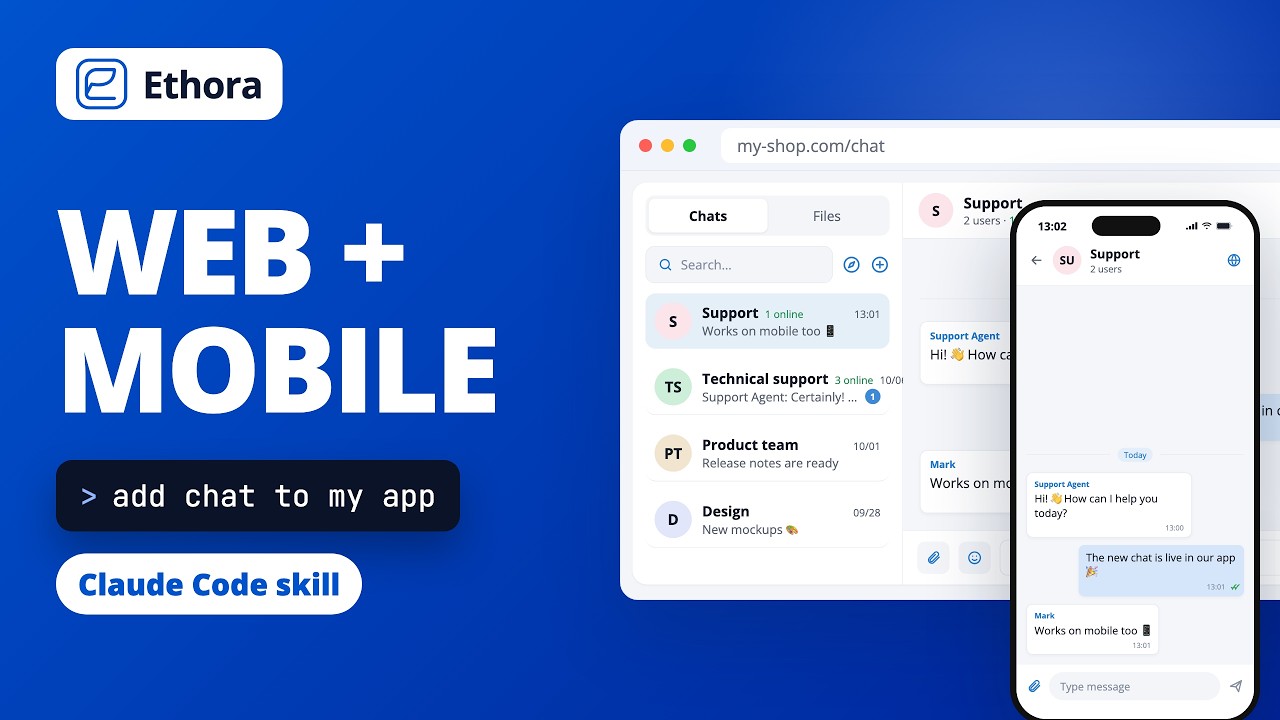
3-minute walkthrough: installing the skill, web vs React Native detection, Ethora account setup, auto sign-in through your backend, and the first message.
Option A — plugin marketplace (recommended, one command, easy updates). In Claude Code:
/plugin marketplace add dappros/chat-ethora-skill
/plugin install ethora-skill@ethora
Shell equivalent: claude plugin marketplace add dappros/chat-ethora-skill && claude plugin install ethora-skill@ethora.
Update later with /plugin marketplace update ethora.
Option B — clone into a project (team repo, pinned version):
git clone https://github.com/dappros/chat-ethora-skill .claude/skills/ethora-skillor personal, for all projects: git clone https://github.com/dappros/chat-ethora-skill ~/.claude/skills/ethora-skill.
Option C — npx skills (Claude Code, Cursor, Codex and other agents, listed on skills.sh):
npx skills add dappros/chat-ethora-skillWorks best in Claude Code: elsewhere the scripts run the same, but the step-by-step questions and the "run the Ethora login in a separate terminal" step may look different.
Then just ask Claude Code: "add Ethora chat to this app" — or invoke /ethora-skill.
Only if you agree. "Users land in the chat already signed in" needs one server route (GET /api/ethora/token) that signs a short-lived token with the Ethora app secret, and that secret can never live in a browser or mobile app. The skill asks first, then:
- you own the backend → it adds the route behind your existing auth, in your backend's language (Node templates included; Python, PHP, Ruby, Go, Java/Kotlin, .NET written from the same contract);
- the backend is someone else's → it leaves it alone, writes
ETHORA_BACKEND.md(the contract + reference code) for the backend team, and uses a temporary dev token so you can work now; - there is no backend → it uses Ethora's own login inside the chat (separate chat accounts) or a dev-only token.
Ethora Cloud (default) or your own self-hosted Ethora server. A custom API only works if it is an Ethora deployment, i.e. exposes the same endpoints as https://api.chat.ethora.com/api-docs/ and an Ethora-compatible XMPP server. Your own unrelated backend or another chat vendor will not work as the chat server.
- Your Ethora password and MFA code are typed only by you, at a hidden prompt of
scripts/ethora-admin.mjsin your own terminal. They are never read from environment variables or files, never stored, and never pass through Claude. - What is stored locally:
~/.ethora/session.json(your Ethora admin session for the terminal tools;node scripts/ethora-admin.mjs logoutdeletes it) and~/.ethora/profiles.json(the selected app: id, app token, app secret, endpoints; same file asnpx @ethora/setup). Both are on your machine only.write-env.mjscopies public values into your project's env files and the app secret only into server-side env files, and adds them to.gitignore. - Network: the scripts talk only to the Ethora API you chose (default
https://api.chat.ethora.com, or your self-hosted origin) and, inverify-setup.mjs, check that its XMPP host answers. No telemetry, nothing else is contacted.
The RN SDK has native modules, so it does not run in Expo Go: use a development build (npx expo run:ios|android). The skill installs the native peers with expo install before the SDK (a plain npm install hits peer conflicts on fresh Expo apps) and starts Metro with a cleared cache.
ethora-skill/
├── SKILL.md                     workflow Claude follows
├── scripts/
│   ├── detect-project.mjs       web / RN / none, framework, router, env convention, nearby backend
│   ├── ethora-admin.mjs         terminal client for app.chat.ethora.com: login (MFA), register, apps, create-app, use, profile
│   ├── write-env.mjs            writes VITE_/NEXT_PUBLIC_/EXPO_PUBLIC_ env or src/ethora.config.ts from the profile
│   ├── client-jwt.mjs           sign a client/server JWT with the app secret (dev & backend reference)
│   ├── ensure-user.mjs          create an end user in the app via /v1/users/batch
│   └── verify-setup.mjs         API / token / client-JWT exchange / XMPP checks
├── references/                  web, RN, auth modes, admin API, self-hosted, troubleshooting
└── assets/templates/            web (Vite/Next), RN, backend (Express, Next route, handoff doc), Vite dev token plugin
Scripts need Node ≥ 18 and no dependencies. Profiles are stored in ~/.ethora/profiles.json, the same file npx @ethora/setup uses.
node scripts/ethora-admin.mjs setup                     # Cloud: account → app → profile
node scripts/ethora-admin.mjs setup --api https://api.chat.acme.com   # self-hosted
node scripts/write-env.mjs --target vite --dir .        # or next | cra | expo | rn | backend
node scripts/verify-setup.mjs --user-id dev-user-1 --email dev@example.com