
A Flutter plugin that provides Optical Character Recognition (OCR) capabilities using Tesseract (v4.x) and Apple Vision (iOS).
This plugin utilizes:
- Android: Tesseract4Android
- iOS: SwiftyTesseract (with support for v4.0.1 via custom CocoaPods) and Apple's Vision framework.
- Web: Tesseract.js (
v6.0.1WebAssembly) using the app's bundled.traineddataassets. - macOS: Tesseract OCR through the same in-process Swift plugin as iOS (SwiftyTesseract + libtesseract) — no
tesseractbinary is installed on the machine. - Linux: System Tesseract OCR and Leptonica libraries via C++ CMake plugin.
- Windows: Tesseract OCR and Leptonica libraries via C++ CMake plugin (vcpkg, MSYS2, or the UB-Mannheim installer).
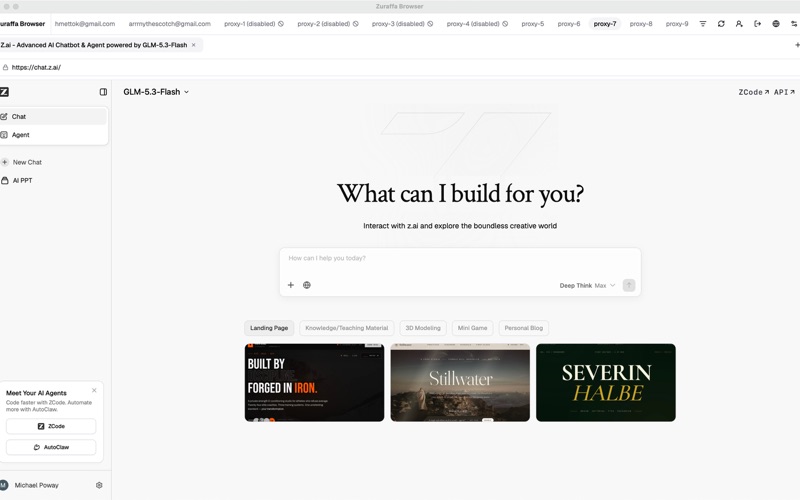
From the makers of this plugin: Zuraffa Browser — the multi-tasking browser for AI agents & humans — is live on the Mac App Store.
🎁 Launch offer: 6 months free with code ZURAFFA — no credit card, no subscription, no payment. Redeem in-app until Dec 1, 2026.
- Perform OCR on images to extract text.
- Support for multiple OCR engines: Tesseract (Android, iOS, macOS, Linux, Windows, and Web), Apple Vision (iOS only).
- Configurable OCR options (language, engine mode, page segmentation mode, etc.) using
OCRConfig. - Supports the latest Dart and Android SDKs.
- Swift Package Manager (SPM) support for iOS and macOS (recommended): the plugin root carries a
Package.swiftthat depends on SwiftyTesseract 4.0.1, and the Flutter build for both Apple platforms goes through the plugin'sios/andmacos/podspecs, which compile that same Swift source - Linux support via system tesseract library
- Windows support via a C++ plugin that links Tesseract and bundles its DLLs
Add tesseract_ocr to your pubspec.yaml:
dependencies:
  tesseract_ocr: ^<latest_version> # Replace <latest_version> with the current version
Then run flutter pub get.
For the Tesseract engine to work, you need to include language trained data files (.traineddata) and a configuration file (tessdata_config.json) in your Flutter app's assets.
-
Create
assetsandassets/tessdatafolders in the root of your Flutter project. -
Download Trained Data: Get the necessary
.traineddatafiles for the languages you need from the Tesseracttessdata,tessdata_best, ortessdata_fastrepositories. Place them inside yourassets/tessdatafolder. For English, you'll typically needeng.traineddata. -
Create
tessdata_config.json: Create a file namedtessdata_config.jsondirectly inside yourassetsfolder (not inassets/tessdata). This file should list all the.traineddatafiles present in yourassets/tessdatafolder.Example
assets/tessdata_config.json:{ "files": [ "eng.traineddata", "fas.traineddata", "urd.traineddata" // Add all other .traineddata filenames here ] } -
Declare Assets in
pubspec.yaml: Add yourassetsandassets/tessdatadirectories to theassetssection of yourpubspec.yaml:flutter: assets: - assets/tessdata_config.json - assets/tessdata/
Run
flutter pub getagain.
The plugin will automatically copy these trained data files to the application's documents directory on the first run if they are not already present.
Note on Asset Loading Issues: If you encounter asset loading errors or "Data path must not be null!" errors, ensure your setup follows these exact requirements:
-
Directory Structure:
your_project/ ├── assets/ │ ├── tessdata/ │ │ ├── eng.traineddata │ │ └── [other language files] │ └── tessdata_config.json └── pubspec.yaml -
pubspec.yaml assets section:
flutter:
  assets:
    - assets/
    - assets/tessdata/
-
tessdata_config.json content:
{
  "files": ["eng.traineddata"]
}
Troubleshooting:
- Ensure
.traineddatafiles are inassets/tessdata/directory - Verify all language files listed in
tessdata_config.jsonactually exist - Try adding individual file entries in pubspec.yaml if assets fail to load:
assets:
  - assets/tessdata_config.json
  - assets/tessdata/eng.traineddata
- A release build only carries the assets your
pubspec.yamldeclares. The plugin refuses to start recognition with an incomplete tessdata set instead of returning garbage — see the error codes below.
Bundling .traineddata as Flutter assets is not the only option. When the
language packs are already on the device — downloaded at runtime, unpacked from a
downloaded archive, or shared by another app — point recognition at that
directory and the asset copy step is skipped entirely:
final config = OCRConfig(
  language: 'eng',
  engine: OCREngine.tesseract,
  tessDataPath: '/storage/emulated/0/Download/tesseract/tessdata',
);
final text = await TesseractOcr.extractText(imagePath, config: config);
The directory is read as-is, in either layout:
<your-directory>/eng.traineddata           # the files directly in it
<your-directory>/tessdata/eng.traineddata # or in a tessdata subdirectory
This is the flow for large language packs and download-on-demand: nothing is written to the app's documents directory, and the first recognition can start as soon as the download finishes.
On Android the engine reads its data from <datapath>/tessdata/<lang>.traineddata
only, so the file-holding directory has to be named tessdata there: point
tessDataPath at the directory that carries the tessdata subdirectory (as in
the example above), or at a tessdata directory holding the files directly. A
direct layout under any other name is refused with tessdata-path-invalid
instead of an init failure inside the engine. iOS and macOS read the
file-holding directory itself, so both layouts work as documented.
The directory is validated before the engine is asked to read it. A path that is
missing, is not a directory, or does not carry every .traineddata the requested
language needs raises a PlatformException with code tessdata-path-invalid
naming the directory and the missing file(s) — see the error codes below.
tessDataPath applies to the Tesseract engine only: OCREngine.vision reads no
.traineddata at all, so the override is ignored there.
This error typically occurs when:
- The tessdata files are not properly loaded from assets
- The
tessdata_config.jsonfile is missing or incorrectly formatted - Asset paths in
pubspec.yamlare not correctly configured
Solution: Follow the exact directory structure and configuration shown above.
A tessDataPath you passed does not name a tessdata directory the engine can
read: it is missing, it is not a directory, it does not hold every
.traineddata the requested language needs (eng.traineddata for 'eng', and
both eng.traineddata and deu.traineddata for 'eng+deu'), or a needed
.traineddata is empty (0 bytes — where a truncated download lands). On Android
the file-holding directory also has to be named tessdata (see above). The
message names the directory, the offending file(s), and both layouts it accepts.
Solution: download the missing .traineddata file(s) into that directory (the
tessdata_fast set is the
smallest), delete and re-download a 0-byte one, point tessDataPath at a
directory the engine can read, or drop the override to fall back to the bundled
assets/tessdata/ set.
extractText now refuses to run when the tessdata set it would hand to Tesseract
is incomplete, instead of letting the engine initialize on an empty or partial
directory and return garbage. Both are PlatformExceptions whose message names
the offending asset and the pubspec.yaml declaration that carries it.
tessdata-config-invalid—assets/tessdata_config.jsonis not valid JSON, is not an object, does not carry a non-emptyfilesarray, or lists an entry that is not a flat.traineddatafile name (a path such assub/eng.traineddata, or an entry that is not a string, is a config mistake). It must be an object with a non-emptyfilesarray:{"files": ["eng.traineddata"]}.tessdata-asset-invalid—assets/tessdata_config.jsonis not carried by the bundle, or a.traineddatalisted in that config is not carried by the bundle, is empty, or differs from the file already on disk (missing, truncated, or replaced by another build) and cannot be rewritten.
Solution:
-
Declare the config and every traineddata it lists under
flutter: assets:in your app'spubspec.yaml— individually, if the directory form does not pick them up:assets: - assets/tessdata_config.json - assets/tessdata/eng.traineddata
-
Run
flutter clean && flutter pub get, then rebuild. Release builds only carry declared assets, so an install that predates a declaration keeps the old, empty tessdata directory — the copy is refreshed whenever the asset's contents differ from the file already on disk, so a same-size file from an older build is replaced too. Assets are read once per app run, so the copy check costs one read per declared file rather than one perextractTextcall.
This happens when Flutter cannot find the specified asset files.
Solution:
- Verify file names match exactly between
tessdata_config.jsonand actual files - Ensure proper asset declarations in
pubspec.yaml - Try running
flutter cleanandflutter pub get
Some users on M1 Macs may see paths like assets/tessdata/assets/tessdata/file.traineddata.
Solution: The plugin automatically handles this, but ensure you're using the latest version.
Starting with version 0.5.2+, this plugin ships Swift Package Manager (SPM) support for iOS, which is the recommended approach going forward.
The plugin root carries a Package.swift that targets iOS 11.0+ and depends on SwiftyTesseract 4.0.1+, so an app that consumes the plugin through Swift Package Manager adds the plugin root and gets the engine fetched and built for it — no additional configuration is required.
Requirements:
- iOS 11.0 or later
- Xcode 12.0 or later
- Flutter 3.19.0 or later
A Flutter build (flutter build ios / flutter run) resolves the plugin through its ios/tesseract_ocr.podspec, which compiles the same shared Swift source and therefore still needs libtesseract.xcframework next to ios/libtesseract.podspec — see the legacy setup below for where the binary goes.
⚠️ DEPRECATED: The CocoaPods setup is deprecated and will be removed in a future version. Please migrate to SPM.
For existing projects using CocoaPods, the legacy setup is still available but requires manual steps:
-
Download
libtesseract.xcframework: SwiftyTesseract 4.0.1 depends onlibtesseractversion 0.2.0, which is also not available on CocoaPods. You need to download the pre-built binary framework. Getlibtesseract-0.2.0.xcframework.zipfrom the libtesseract GitHub Releases page. -
Extract and Place
libtesseract.xcframework: Unzip the downloaded file. Place the resultinglibtesseract.xcframeworkfolder directly into the plugin'siosdirectory — the directory that containslibtesseract.podspec— not into your app'siosdirectory.The plugin's pod is consumed by
:pathfrom its owniosdirectory, andlibtesseract.podspecresolves the xcframework relative to itself. So the binary must sit beside the podspec:.symlinks/plugins/tesseract_ocr/ios/ ├── libtesseract.podspec <-- The podspec that consumes it ├── libtesseract.xcframework <-- Place the extracted folder here ├── SwiftyTesseract401.podspec └── tesseract_ocr.podspecYour app's own
iosdirectory keeps only the usual Flutter files (Runner.xcodeproj,Runner.xcworkspace,Podfile) — the xcframework does not belong there. -
Configure Your App's Podfile: In your Flutter app's
ios/Podfile, you need to reference the custom podspecs provided within thetesseract_ocrplugin:SwiftyTesseract401by:podspec,libtesseractby:path. NoEXCLUDED_ARCHSentry is needed — the arm64 Apple Silicon simulator slice builds on its own.Locate your
target 'Runner'block and add the following lines:# In your main Flutter app's Podfile (e.g., your_flutter_app/ios/Podfile) # ... other Podfile content ... target 'Runner' do use_frameworks! use_modular_headers! # This line should already be here if you added the plugin via pubspec.yaml pod 'tesseract_ocr', :path => '../.symlinks/plugins/tesseract_ocr/' # Add the custom SwiftyTesseract401 and libtesseract pods # These paths are relative from YOUR app's ios directory to the plugin's ios directory # Adjust the '../../.symlinks/plugins/tesseract_ocr/ios' path if necessary pod 'SwiftyTesseract401', :podspec => '../../.symlinks/plugins/tesseract_ocr/ios/SwiftyTesseract401.podspec' pod 'libtesseract', :path => '../../.symlinks/plugins/tesseract_ocr/ios' # flutter_install_all_ios_pods File.dirname(File.realpath(__FILE__)) # Keep this line end # ... other Podfile content (e.g., post_install hook) ...
Note: The
:pathvalue../../.symlinks/plugins/tesseract_ocr/iosis the standard path from your app'siosdirectory to a plugin'siosdirectory when using Flutter. If your project structure is different, you may need to adjust this path. -
Install Pods: Navigate to your
iosdirectory in the terminal and runpod install:cd your_flutter_app/ios pod install -
macOS needs the same two pods: the macOS plugin (
macos/tesseract_ocr.podspec) compiles the same shared Swift source and links the samelibtesseract, so an app that builds for macOS declaresSwiftyTesseract401(by:podspec) andlibtesseract(by:path) in itsmacos/Podfiletoo — pointing at the plugin'sios/directory, which is where the podspecs and the xcframework live.example/macos/Podfileis a working reference.
The plugin is configured to compile against the latest Android SDK (API 35) and has a minimum SDK version of 16, providing broad compatibility.
Web support uses Tesseract.js (v6.0.1) compiled to WebAssembly (OCREngine.tesseract / OCREngine.defaultEngine). Apple Vision (OCREngine.vision) remains iOS-only and throws an UnsupportedError on Web.
- Automatic CDN Loading: By default, the Web plugin dynamically loads
tesseract.min.js(v6.0.1) from jsDelivr on first use whenwindow.Tesseractis not already present. - Self-Hosting / Offline / Strict CSP: If you prefer to self-host
tesseract.jsor restrict external scripts via CSP, include<script src="...tesseract.min.js"></script>in yourweb/index.htmlbeforeflutter_bootstrap.js. - Language Data: Bundled
assets/tessdata/*.traineddatafiles listed inassets/tessdata_config.jsonare served directly from Flutter Web's asset bundle (gzip: false), supporting both LSTM (eng.traineddata,financial.traineddata) and legacy (OCRB.traineddata) models. You can also supply a customOCRConfig(tessDataPath: ...)URL.
macOS support runs the same in-process Tesseract engine as iOS (SwiftyTesseract 4.0.1 on top of libtesseract) through the shared Swift plugin source — the machine does not need a tesseract binary installed. Apple Vision (OCREngine.vision) remains iOS-only and is not supported on macOS. Language .traineddata files ship in your Flutter app's assets/tessdata/ directory just like on mobile—no separate per-machine language setup is required for English (eng) or other bundled trained data.
- Flutter macOS Desktop Support: Ensure Flutter macOS desktop is enabled (
flutter config --enable-macos-desktop) along with Xcode 12.0 or later. - Tesseract binary (
libtesseract.xcframework): macOS links the same binary iOS does, and it is not distributed through pub.dev or CocoaPods. Downloadlibtesseract-0.2.0.xcframework.zipfrom the libtesseract releases page and drop the unzippedlibtesseract.xcframeworknext toios/libtesseract.podspecin the plugin checkout — seeCUSTOM_PODS_README.md. The podspec raises a named error when it is missing, instead of failing later at link time. - SPM for direct consumers: an app that consumes the plugin through Swift Package Manager (rather than
flutter pub add) adds the plugin root, whosePackage.swifttargets iOS 11+ and macOS 10.13+ and pulls SwiftyTesseract itself. - App Sandbox Configuration: If your macOS app uses App Sandbox, you must disable it in
macos/Runner/DebugProfile.entitlementsandmacos/Runner/Release.entitlements:(This is already configured in<key>com.apple.security.app-sandbox</key> <false/>
example/macos/Runner/.)
Linux support uses the system Tesseract library installed via your distribution's package manager.
-
Flutter Linux Desktop Support: Ensure Flutter Linux desktop is enabled (
flutter config --enable-linux-desktop). -
Install Tesseract and Leptonica:
Ubuntu/Debian:
sudo apt-get install libtesseract-dev libleptonica-dev
Fedora/RHEL:
sudo yum install tesseract-devel leptonica-devel
Arch Linux:
sudo pacman -S tesseract leptonica
-
Verify Installation:
tesseract --version
The plugin uses the system Tesseract library directly via C++ interop, providing native performance without bundled binaries.
Windows support uses the same Tesseract engine and tesseract_ocr method channel as Linux, implemented as a C++ CMake plugin. OCREngine.vision stays iOS-only and is rejected on Windows; every other engine value runs on Tesseract.
-
Flutter Windows Desktop Support: Enable it with
flutter config --enable-windows-desktop. You also need Visual Studio 2022 with the "Desktop development with C++" workload, which provides MSVC and CMake 3.14 or later. -
Install Tesseract and Leptonica with their development files. The plugin links both libraries and copies their DLLs next to your executable, so a runtime-only install is not enough — it needs
include/tesseract/capi.hand the import libraries. Any one of these works:vcpkg:
vcpkg install tesseract
MSYS2:
pacman -S mingw-w64-x86_64-tesseract
UB-Mannheim installer: enable "Install development files" so
include/andlib/land in the prefix, then point the configure step at it:$env:TESSERACT_ROOT = "C:\Program Files\Tesseract-OCR" flutter build windows
The plugin also probes the standard prefixes (
%ProgramFiles%\Tesseract-OCR, the 32-bit one, and the per-user install), so an installer in the default location needs no configuration at all. -
Trained data:
engships with the installer. Other languages are picked up from the Tesseract prefix'stessdata/, or from theassets/tessdata/set the plugin copies into the app's documents directory like every other platform, or from a path you pass asOCRConfig(tessDataPath: ...). When no path is supplied the plugin also honoursTESSDATA_PREFIX.
If Tesseract cannot be found, the build stops with the exact packages to install rather than producing a plugin DLL that would fail to load at runtime.
Import the package:
import 'package:tesseract_ocr/tesseract_ocr.dart';
import 'package:tesseract_ocr/ocr_engine_config.dart';
To perform OCR, use the TesseractOcr.extractText method. You can pass an optional OCRConfig object to specify the engine and other options.
If the image is already in memory — a camera frame, a picked file's bytes — use
TesseractOcr.extractTextFromBytes instead of writing a temporary file first.
It takes the same OCRConfig:
import 'dart:typed_data';

// `bytes` is a complete encoded image: exactly the file content an image path
// would have pointed at.
final Uint8List bytes = await pickImageBytes();
final String text = await TesseractOcr.extractTextFromBytes(
  bytes,
  config: const OCRConfig(language: 'eng', engine: OCREngine.tesseract),
);
Each platform takes the bytes through its own engine entry point — a bitmap on
Android, a typed array on Web, a data buffer on Apple platforms — so no file is
written. The Linux engine, which drives the tesseract command line, does write
the bytes to a temporary file for the duration of the recognition, and deletes it
again.
Future<void> _performOcr(String imagePath) async {
  try {
    // Default usage (uses OCREngine.defaultEngine, language 'eng')
    // String extractedText = await TesseractOcr.extractText(imagePath);

    // Example: Using Tesseract engine with a specific language
    final tesseractConfig = OCRConfig(
      language: 'eng', // Must match a .traineddata file in assets/tessdata
      engine: OCREngine.tesseract,
      // Optional Tesseract options:
      // options: {
      //   TesseractConfig.preserveInterwordSpaces: '1',
      //   TesseractConfig.pageSegMode: PageSegmentationMode.autoOsd,
      //   TesseractConfig.debugFile: '/path/to/debug.log', // Example option
      // },
    );
    String extractedTextTesseract = await TesseractOcr.extractText(
      imagePath,
      config: tesseractConfig,
    );
    print('Extracted Text (Tesseract): $extractedTextTesseract');

    // Example: Using Apple Vision engine (iOS only)
    final visionConfig = OCRConfig(
      engine: OCREngine.vision,
      language: 'eng', // Vision engine may also use language hint
    );
     // Check if running on iOS before using Vision
    if (Platform.isIOS) {
      String extractedTextVision = await TesseractOcr.extractText(
        imagePath,
        config: visionConfig,
      );
      print('Extracted Text (Vision): $extractedTextVision');
    }


  } catch (e) {
    print('Error performing OCR: $e');
  }
}TesseractOcr.detectOrientationAndScript mirrors pytesseract.image_to_osd: it returns an OsdResult carrying the page rotation (orientationDegrees, rotate the image by it to make it upright), the detected writing script (scriptName), and a confidence for each. Use it to auto-rotate or decline an image before running extractText.
final osd = await TesseractOcr.detectOrientationAndScript(
  imagePath,
  config: const OCRConfig(language: 'osd'), // needs osd.traineddata
);
print('Rotate by ${osd.orientationDegrees}°, script: ${osd.scriptName}');
OSD is a Tesseract engine capability: OCREngine.vision is rejected, and the web build runs it through tesseract.js. It needs a legacy-capable traineddata — bundle osd.traineddata under assets/tessdata/ and list it in tessdata_config.json (or pass OCRConfig(tessDataPath: ...)).
Language default: detection classifies with the legacy templates of the osd model, so a call that names no language (config omitted or no language set on the web/Linux/Apple handlers) runs on osd — the OCR default eng carries no legacy templates and would answer TESSDATA_NOT_FOUND. An explicit OCRConfig(language: ...) is honoured as given.
Options: OCRConfig.options travel with the call and are applied by the engines that accept Tesseract variables (iOS, Linux, Web); tessedit_pageseg_mode becomes --psm on Linux, setVariable/setParameters elsewhere.
Platform matrix: iOS, macOS and Linux run the native detector (30s watchdog, OSD_TIMEOUT on a hung decode); Web runs tesseract.js worker.detect(); Android answers UNSUPPORTED_OSD (the bundled tesseract4android 4.8.0 binding exposes no OSD result API) — instead of a MissingPluginException. macOS gained the detector when it moved onto the shared Swift plugin; before that it drove the tesseract executable, which cannot return a structured result.
Alongside plain text, the plugin can return hOCR — an HTML-like, layout-aware representation of the recognized text where every line, word and symbol carries its bounding box. Use it when you need the structure of the page (positions, word/line grouping) rather than just the characters:
import 'package:tesseract_ocr/tesseract_ocr.dart';
import 'package:tesseract_ocr/ocr_engine_config.dart';

Future<void> _performHocr(String imagePath) async {
  try {
    final hocr = await TesseractOcr.extractHocr(
      imagePath,
      config: const OCRConfig(
        language: 'eng',
        engine: OCREngine.tesseract,
      ),
    );
    print('hOCR:\n$hocr');
  } catch (e) {
    print('Error performing hOCR: $e');
  }
}extractHocrhas the same signature and options asextractText; only the returned format differs.- It is produced by the Tesseract engine, which backs Android, Web, macOS, iOS and Linux.
- Apple's Vision engine (
OCREngine.vision) has no hOCR output: requesting hOCR with it throws anUnsupportedError. UseOCREngine.tesseractorOCREngine.defaultEnginefor hOCR.
The OCRConfig class allows detailed configuration of the OCR process:
language(String): The language code (e.g., 'eng', 'fas'). Required for the Tesseract engine, usually corresponds to the.traineddatafile prefix. Can be used as a hint for the Vision engine. Defaults to 'eng'.engine(OCREngine): The OCR engine to use (OCREngine.vision,OCREngine.tesseract, orOCREngine.defaultEngine). Defaults toOCREngine.defaultEngine(Vision on iOS; Tesseract on Android, macOS, and Web).tessDataPath(String?): A tessdata directory already on the device — a downloaded language pack, unpacked archive, or shared storage. Set it and the asset copy is skipped: the engine is pointed at that directory, which must hold<lang>.traineddatadirectly or under atessdata/subdirectory, or recognition is refused withtessdata-path-invalid. Ignored byOCREngine.vision, which reads no.traineddata. On Web it is thelangPathURL the Tesseract.js worker loads from. Leave it unset to use the bundledassets/tessdata/set.options(Map<String, dynamic>?): A map of additional configuration options. Which keys each platform honours:- Android, macOS, Linux and Web (Tesseract engine): passed to the Tesseract engine. Use keys from
TesseractConfigor any valid Tesseract configuration variable name (e.g.,'preserve_interword_spaces','tessedit_pageseg_mode'). Values should be strings.tessedit_pageseg_modeselects the page segmentation mode andtessedit_ocr_engine_modethe engine mode; every other key is set as a Tesseract variable. - iOS (Vision engine): Vision has no Tesseract variable set.
TesseractConfig.recognitionLevel('fast'or'accurate', default'accurate') andTesseractConfig.usesLanguageCorrection(trueorfalse, defaulttrue) are honoured; any other key is logged as ignored rather than silently accepted. - A value a platform cannot apply is dropped and logged, never guessed: an unsupported page segmentation mode keeps the engine default, and an unparsable boolean keeps Vision's default.
- Android, macOS, Linux and Web (Tesseract engine): passed to the Tesseract engine. Use keys from
See ocr_engine_config.dart for the OCREngine, TesseractConfig, and PageSegmentationMode enums and classes.
Check the example directory for a complete Flutter app demonstrating how to use the plugin, select images, choose the OCR engine, and display results.
cd example
flutter pub get
flutter run -d chromecd example
flutter test integration_test/tesseract_ocr_web_test.dart -d chromecd example
flutter pub get
flutter run -d macoscd example
flutter test integration_test/tesseract_ocr_macos_test.dart -d macoscd example
flutter pub get
flutter run -d linuxcd example
flutter test integration_test/tesseract_ocr_linux_test.dart -d linuxdocker build -f example/docker/linux.Dockerfile -t tesseract-ocr-linux-test .
docker run --rm tesseract-ocr-linux-testWeb support uses tesseract.js compiled to WebAssembly. The library is loaded dynamically from a CDN on first use.
If your app uses a strict Content Security Policy, you must allowlist the jsDelivr CDN in your web/index.html:
<meta http-equiv="Content-Security-Policy" content="script-src 'self' https://cdn.jsdelivr.net;">Alternatively, you can self-host tesseract.min.js by including it in your web/index.html before the Flutter bootstrap script.