

A privacy-first two-factor authenticator for iPhone, iPad, Mac and Apple Watch.
Your codes stay on your device. No account, no server, no tracking.




Website · App Store · Security model · Changelog
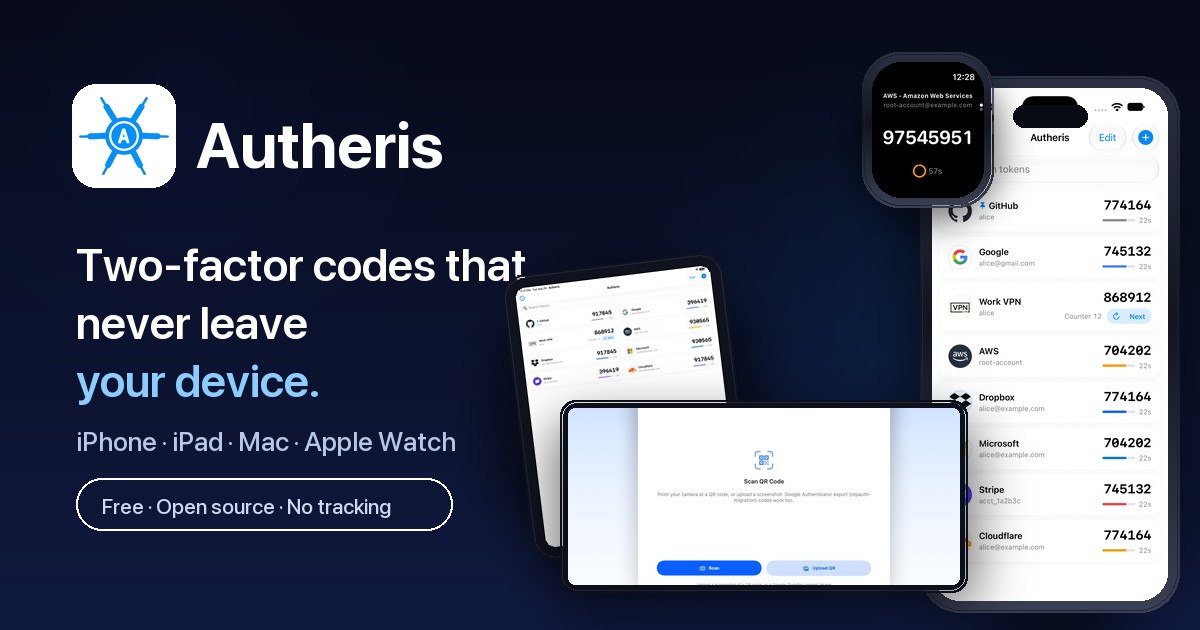
Autheris generates the time-based (TOTP) and counter-based (HOTP) one-time codes that protect your accounts. It keeps the secrets behind them in the system Keychain, on your device. It has no backend of its own, and nothing leaves your device unless you export it or turn on iCloud Sync.
It is one native SwiftUI codebase for every Apple platform: no Catalyst and no stretched iPad app on the Mac.
Codes
- TOTP (RFC 6238) and HOTP (RFC 4226), with SHA-1, SHA-256 or SHA-512 and 6–10 digits
- Add accounts by scanning a QR code or picking a screenshot
- Import from Google Authenticator, Aegis, andOTP and 2FAS (counter-based accounts included, except from 2FAS)
- Tap to copy, pin favourites to the top, drag to reorder, search instantly
- Recently Deleted keeps a removed code recoverable on the device for 7 days
Privacy and security
- App Lock with Face ID, Touch ID or your passcode. It re-locks 30 seconds after you leave, and asks again before sensitive actions such as exporting, backing up or showing a setup key
- Codes are hidden in the app switcher and while the screen is recorded or mirrored
- Copied codes never sync to your other devices, and the clipboard clears after 60 seconds
- Password-encrypted backups (AES-256-GCM, PBKDF2 with 600,000 iterations) that stay out of iCloud and computer backups
- Optional iCloud Sync, off by default, with secrets end-to-end encrypted in your private CloudKit database
Everywhere you are
- iPhone and iPad, with a two-column grid on larger screens
- A native Mac app with a real preferences window
- A read-only Apple Watch app that generates codes on the watch itself, even with your phone out of reach


| Storage | Keychain, kSecAttrAccessibleWhenUnlockedThisDeviceOnly, so secrets are never included in device backups |
| Network | No server. The only request the app can make is an optional issuer-icon lookup that sends the service's name, never a secret. It can be turned off in Settings → Privacy |
| Sync | Opt-in. CloudKit private database with secrets in end-to-end encrypted fields |
| Backups | Optional password encryption (AES-256-GCM). Backup files are file-protected and excluded from device backups |
| Telemetry | None. No analytics, no ads, no account |
The full threat model, including what Autheris deliberately does not protect against, is in docs/security.md.
Found a vulnerability? Please report it privately through GitHub Security Advisories rather than in a public issue.
git clone https://github.com/Nerdykidtech/Autheris.git
cd Autheris
open Vaultic.xcodeproj
Requirements: Xcode 26 or later with the iOS, macOS and watchOS 26 SDKs. The Mac target needs a provisioning profile for com.eddingtontech.autheris. Building once in Xcode while signed in, or with -allowProvisioningUpdates, creates it.
Tech stack: Swift and SwiftUI, with complete strict concurrency checking · Keychain storage · CloudKit for optional sync · WatchConnectivity for the watch · CryptoKit and CommonCrypto for backups · XCTest.
| Document | Contents |
|---|---|
docs/security.md |
Threat model: storage, privacy screen, iCloud Sync, issuer icons |
docs/icloud-sync.md |
Merge rules, the CloudKit container and schema deployment |
docs/platforms.md |
How the Mac and Apple Watch apps differ from the phone |
docs/development.md |
Tests, localisation and project structure |
docs/releasing.md |
Archiving, exporting and submitting to the App Store |
Autheris collects no data. Read the full privacy policy.
Released under the MIT License.