
This repo is the algorithm submission template for TopBrain 2026 challenge on grand-challnge (GC). With a few lines of code, you can modify this repo to generate the Docker container and take part in the TopBrain challenge!
-
Compatible with the TopAneu template: This submission template uses the same input interface as the TopaNeu submission template, allowing participants to migrate their existing
inference.pydirectly with no changes to the inference logic. -
If you want more flexibility (i.e. customize this repo beyond
inference.pyfile or not using this template repo at all), then simply ensure that your docker container can:-
read from the input interface that supplies one
.mhaimage:Head MR Angiography (Image) at
/input/images/head-mr-angio/<uuid>.mhaHead CT Angiography (Image) at
/input/images/head-ct-angio/<uuid>.mha -
write to the output interface one
.mhasegmentation mask:Vessel Segmentation to
/output/images/extended-head-angio-segmentation/<uuid>.mha
-
-
If you are new to the GC submission system, we recommend that you clone this repo locally and use it as a template, which only requires a few simple steps to build a submission container! The steps are easily done, and you just follow the
TODOin one file!- Clone this repo locally
- Add your algorithm by editing the
./inference.pyfile - Submit your algorithm by
bash ./save.shto create atar.gzof your docker container and upload to GC- see GC documentation "Option 2 (Uploading the container image)": how to deploy your container
For more information on using this repo as a template, please refer to Use This Repo as a Template below.
-
Submission portal links. We have two submission portals for TA36 track: one submission portal for the validation phase, and one for the final-test phase:
- Submit to Validation TA36 Track
- Submit to Final Test TA36 Track
Please use the validation submission portals to make sure your docker containers work as intended. You can submit to validation phases with a daily limit until they close. But final test phases only allow for one submission.
You can adapt the inference.py file. We have marked the most relevant parts you need to change with TODO.
For each test case, the output of your algorithm must be a SimpleITK Image file with the same shape, orientation, and spacing as the input image.
Simply do the following 2 TODOs in the inference.py file:
#######################################################################################
# TODO-1:
# if you use pytorch, we have a util to show torch and cuda status
do_you_use_pytorch_cuda = False  # True or False
# END OF TODO-1
#######################################################################################
Then, in the infer_ct() and infer_mr() functions, implement your inference algorithm there, and whatever you do,
just return us a SimpleITK.Image file of the same geometry as the input image. We will handle the rest of the file conversion and output saving etc from there onwards.
#######################################################################################
# TODO-2:
def infer_ct(img: sitk.Image) -> sitk.Image:
    """Runs inference on CTA images"""
...
    # Copies the Origin, Spacing, and Direction from the source image
    res.CopyInformation(img)

    return res

def infer_mr(img: sitk.Image) -> sitk.Image:
    """Runs inference on MRA images"""
...
    # Copies the Origin, Spacing, and Direction from the source image
    res.CopyInformation(img)

    return res

# END OF TODO-2
#######################################################################################You can run inference locally by executing the script main.py. The main.py also serves as the entrypoint for the Docker container.
NOTE: You don't need to change anything in the main.py script.
Update your requirements.txt for your required python libraries.
Make the necessary changes to the Dockerfile:
- Choose a suitable base image if necessary to build your container (e.g., Tensorflow or Pytorch or even Ubuntu, or a different version of Python base image)
- Note on image selection:
cuda12.6is required for the T4 GPU instances used on Grand Challenge! The 'runtime' image is sufficient for inference; 'devel' is only needed if you compile custom CUDA kernels
- Make sure that all required source files (such as model weights and python scripts) are copied to the Docker container with
COPYin yourDockerfile
COPY --chown=user:user <somefile> /opt/app/
Alternatively, you can upload your method's model separately from the container image as a tarball (.tar.gz) on Grand Challenge (Your algorithm > Models). (See inference.py comments for details.) If provided, the tarball will be extracted to /opt/ml/model/ at runtime.
Highly recommended to test your container by bash test_run.sh locally. This will mimic the GC docker running environment and input to your docker container any mha files you provide in the ./test/input folder. It will check the output predictions against what you provide in ./test/expected_output/:
################
# in test_run.sh
# TODO: Provide the expected output segmentation mask of your algorithm in ./test/expected_output/
# TODO: In the python code snippet below change the following if necessary:

if [[ "$interface_dir" == "interf0" ]]; then
    EXPECTED_SEG_MASK="expected_output_dummy_mra.mha"
elif [[ "$interface_dir" == "interf1" ]]; then
    EXPECTED_SEG_MASK="expected_output_dummy_cta.mha"
################

bash test_run.sh
Change the input test images in test/input/, and the expected output in test/expected_output/ to validate your algorithm works in the form of a Docker container.
Note: the GC environment will process the test images sequentially one image at a time. So, there should only be a CT image or a MR image in the corresponding input folders.
Currently, you find test/input/interf0/images/head-mr-angio/example_input_dummy_mra.mha and test/input/interf1/images/head-ct-angio/example_input_dummy_cta.mha in the input folder.
Please note that GC environment has a limit on
- Container size must be under 10GB
⚠️ - Usable main memory of at most 31 GiB DRAM
⚠️ (1 GB is reserved by GC, so 32 - 1 = 31)- The
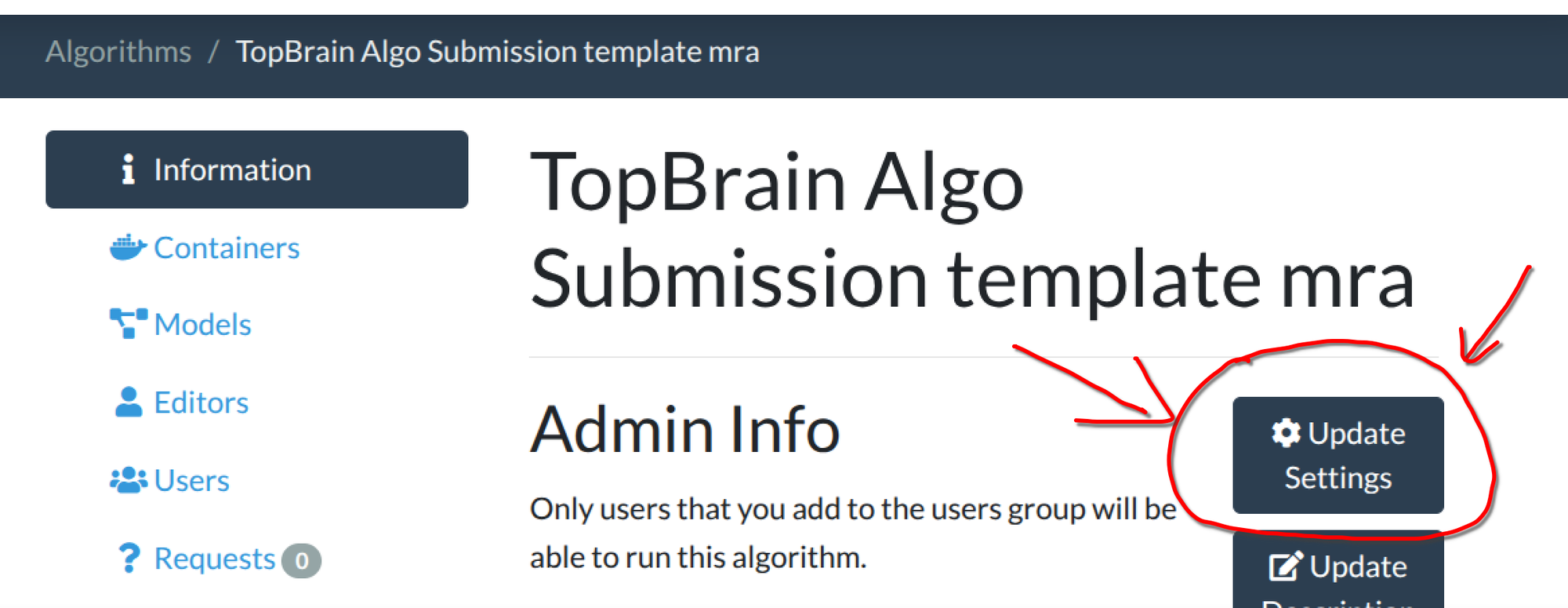
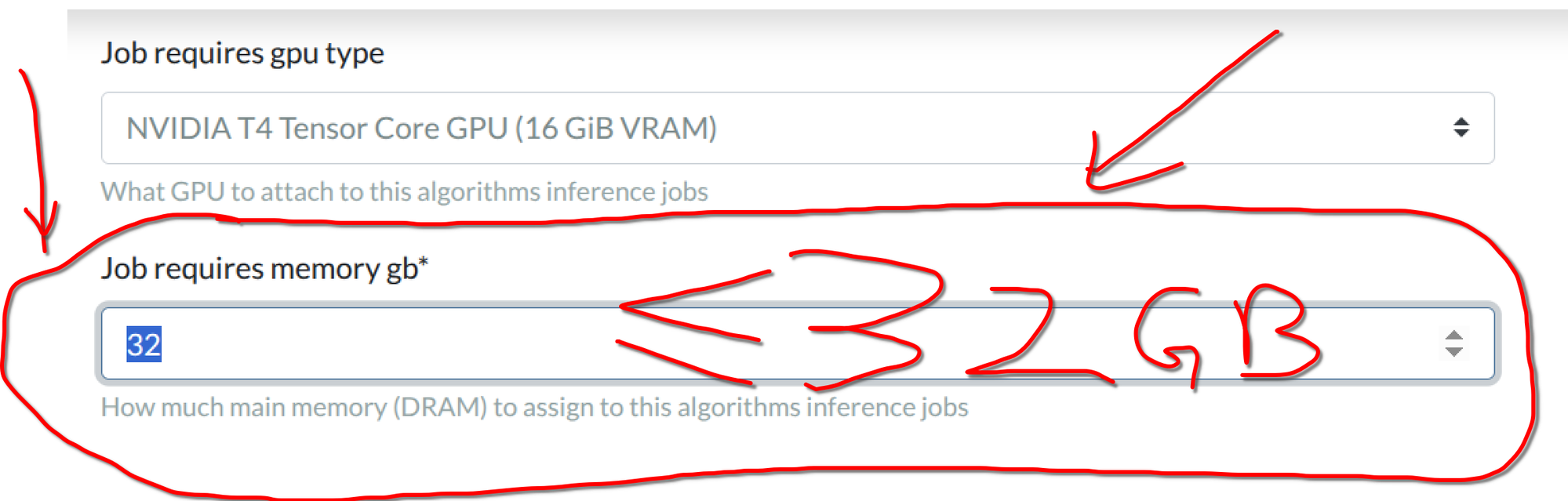
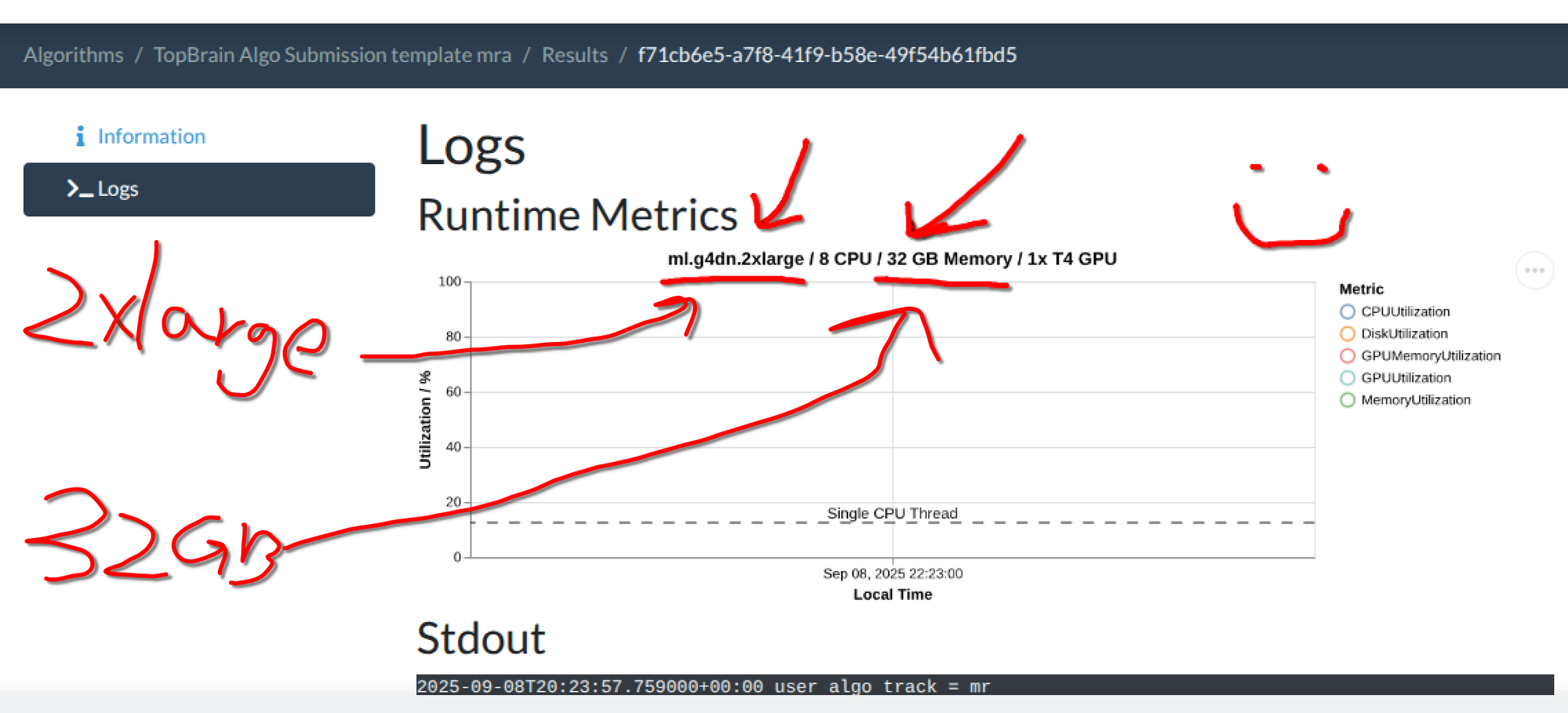
test_run.shsimulates this limitation locally. So make sure you test your container with ourtest_run.shfirst! - The default for newly created algorithms is 16GB. New in GC: You need to update the memory setting AFTER algorithm upload! Here are the steps to change the memory used for your algorithm. 1) After you have uploaded the algorithm Docker, go to your algorithm's page and click "Update Settings"; 2) Fill in a number of at most 32 in "Job requires memory gb; 3) 32 GB correspond to the
2xlargeinstance type. (You do not have to adjust the memory if you are okay with the 16GB default.)
- The
Run bash ./save.sh to package your docker container image. This will create a .tar.gz file ready for upload to one of our GC submission portals.
Please refer to the GC documentation on
- "Submitting your Algorithm container"
- espeically the "Submission tips".
NOTE: It is recommended to use the GC to "Try Out Algorithm" first:
Once your container is active, please test it out before submitting it to the challenge, you can upload data using the "Try Out Algorithm" button. Please use a representative image and check that the outputs are what you expect. You can inspect the error messages on the Results page of your algorithm.
And that is it! 🤠 All the best for the submission process. Please reach out to us by leaving an issue on this repo or on our challenge forum.