Repository navigation

Replies: 1 comment

|
The installer detects its own privilege level independent of what you have set in a shortcut, so if it says it is running as Admin it is. Even with that compatibility box unchecked, Windows has a built-in feature that automatically can sometimes force files containing words like “installer” to run with administrator privileges behind the scenes. This can also happen if your Windows UAC is turned off or if you launched the file via auto update with AutoFPS running as Admin or from inside a zip utility (like 7-Zip or WinRAR) that was already running as Admin. Installing as Admin does not mean you will have issues, rather that you could, hence why it is a warning. As such, you can generally ignore, unless you have issues with the app connecting to and communicating with MSFS, or reading/writing its own files. |


Uh oh!
There was an error while loading. Please reload this page.
When you run the installation file “MSFS_AutoFPS-installer-v0.5.3.0.exe,” the following message appears:
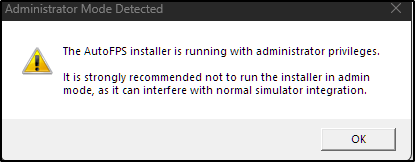
“The AutoFPS installer is running with administrator privileges”
In the properties of “MSFS_AutoFPS-installer-v0.5.3.0.exe” — Properties — Compatibility — “Run this program as an administrator” - the box is not ticked!
What is the problem?
All reactions